A proper mastering checklist techno producers follow separates tracks that get signed from those that get rejected. Most producers skip essential steps.
Techno’s intense energy just needs accurate mastering techniques that honor its hypnotic groove while meeting 2026 standards. We’re talking headroom targets around -3 to -6 dBFS, streaming loudness near -14 LUFS, and club system translation that doesn’t lose its effect. This mastering checklist walks you through each technical check before you hit upload. You’ll cover kick drum balance to metadata verification and make sure your release ready master meets both Beatport and Spotify requirements.
What Makes a Techno Track Release-Ready in 2026
Professional mastering separates amateur uploads from label-quality releases. The difference isn’t subtle once you understand what club systems and streaming platforms actually need from your master.
Industry Standards for Techno Mastering
Techno demands higher perceived energy than most electronic genres. Mastering targets for club-focused tracks sit around -8 to -6 LUFS, which provides the sustained effect DJs expect when mixing between tracks. You’ll work closer to -7 LUFS if you’re targeting streaming platforms because services like Spotify normalize to -14 LUFS. Upload a track that’s too hot and the platform applies a loudness penalty, turning down your master and potentially engaging a limiter that destroys your transients.
Peak levels should never exceed 0 dBFS to prevent distortion. This seems obvious, but many producers push limiters hard thinking louder equals better. Streaming normalization killed that approach. Your track gets turned down anyway, and you’ve sacrificed punch for nothing.
File format requirements remain non-negotiable. Labels and distributors need high-quality WAV or AIFF files with proper metadata embedded. That metadata has your 3000×3000 pixel cover art, track title, artist credits, ISRC codes and genre tags. Skip any of these elements and your release gets delayed or rejected.
Register your tracks with a Performing Rights Organization like ASCAP or BMI before distribution. This will give you performance royalties when DJs play your tracks in clubs or radio stations pick them up. Clear all sample licenses at this stage too, because fixing copyright issues after release becomes exponentially more expensive.
Mono compatibility isn’t optional for techno. Club systems sum to mono in certain frequency ranges, and your track loses power on the dancefloor if your bass elements aren’t centered and controlled. Keep sub bass below 80 Hz mono and centered. Sidechain compression between kick and bass remains standard practice, but producers now extend this technique to mid-range elements, creating rhythmic breathing in texture layers.
Professional results depend on clear separation between mixing and mastering stages. Blurring these processes creates multiple problems: you become too cautious during mixing while worrying about the final master, mastering gets heavy-handed trying to fix mix issues, and your creative flow suffers under technical constraints. Great mixes tell emotional stories; good mastering makes everyone hear that story whatever their playback system.

Common Mistakes That Prevent Release
Over-limiting crushes the life out of techno tracks. When you compress dynamics to the point where waveforms look like rectangular blocks, listeners experience fatigue within minutes. Club DJs notice because the track doesn’t breathe with the mix. Your loudest moments should only show 2-3 dB of gain reduction, and you should hear no audible pumping or breathing artifacts from the compressor.
Low end control issues create muddy mixes that fall apart on club systems. Spectrum analyzers reveal frequency buildup in the 200 to 400 Hz range that causes this muddiness on large systems. Too much content around 200-300 Hz robs your mix of definition. Check these ranges and cut everything you don’t need.
Aggressive EQ boosts introduce harshness and imbalance. Beginners often boost frequencies when they should cut instead, applying more than 2-3 dB when subtle adjustments would be enough. The smiley curve EQ, boosting lows and highs while scooping mids, results from poor monitoring setups and creates masters that sound exciting at first but tire listeners quickly.
Reference tracks get neglected most often. Professional producers load released techno tracks in similar keys into their DAW, analyze them with spectrum tools and compare. Without references, you’re guessing at appropriate balance and loudness targets. This practice applies to both mixing and mastering stages, providing objective standards when your ears get fatigued.
Quality checks across multiple playback systems get skipped, leaving blind spots in your master. A track that sounds perfect on studio monitors might reveal problems in car speakers, headphones or phone speakers. Test everywhere your listeners will actually hear the music.
Pre-Mastering Check: Is Your Mix Actually Finished
Producers often skip the pre-mastering verification stage and send unfinished mixes to mastering. This wastes time and money. Before you think over mastering techniques for your techno track, run these three critical tests to confirm your mix deserves the mastering stage.
Headroom and Peak Levels Test
Your mix needs breathing room. Target peak levels between -3 and -6 dBFS before mastering. This headroom gives mastering engineers space to apply compression and limiting without introducing clipping. Peaks that hit 0 dBFS bake distortion into the audio file. Turn levels down afterward and you just hear that clipping at lower volume.
I check peak levels with my DAW’s master channel meter. The highest transient should register around -5 dBFS during the loudest section of the track. The kick drum is this transient most of the time. Some producers leave -10 dB of headroom and think more space equals better results, but excessive headroom can frustrate mastering engineers and create signal-to-noise ratio problems.
Digital clipping occurs at 0 dBFS, the point where your system runs out of bits. Push past this threshold and you generate harsh distortion rather than gain volume. Professional interfaces line up +4 dBu analog levels with -20 to -14 dBFS digital levels and provide roughly 20 dB of headroom. Use this space wisely during mixing so mastering adjustments don’t push you into distortion territory.
Kick Drum and Sub Bass Balance
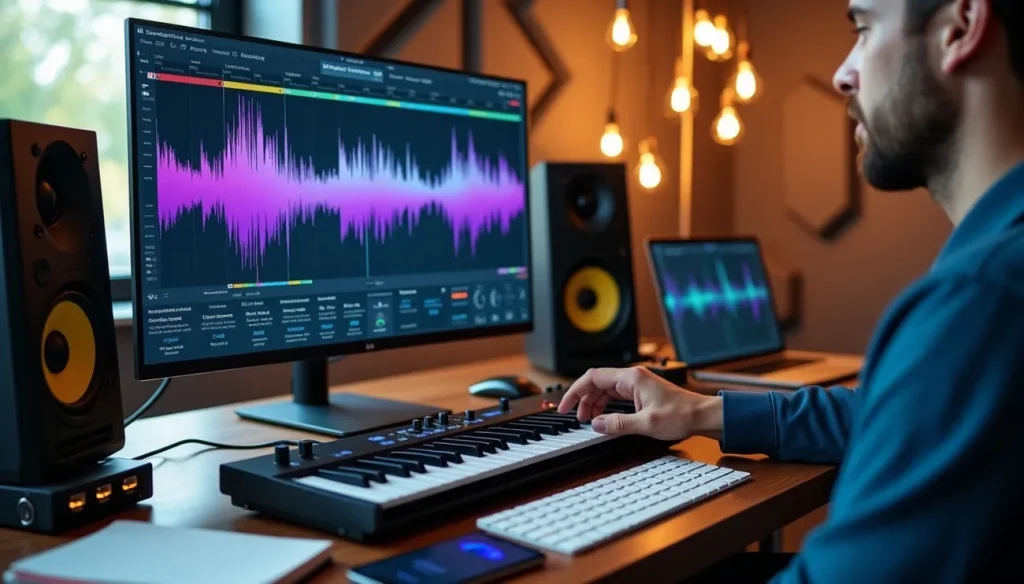
Techno lives or dies in the 30 to 120 Hz range where kick and bass fight for dominance. The 30-60 Hz zone delivers the physical chest-punching effect you feel on club systems. Let either your kick or bassline dominate this zone, not both. Both elements slam this range at the same time and you get mud and phase issues that destroy clarity on large sound systems.
The 60-90 Hz range contains the body and weight of both elements. This overlap zone causes boominess without proper carving. I use surgical EQ with a Q setting between 2 and 4 and make narrow cuts of -2 to -4 dB. To name just one example, see my kick that peaks at 65 Hz. I’ll cut that frequency on the bassline to let the kick breathe.
Sidechain compression remains non-negotiable for techno. Apply a sidechain compressor to your bassline and trigger it with the kick. The attack and release settings determine how much the bass ducks. Shape the sidechain to duck only the first 100-150 ms for kicks with long tails. This gives enough space for the transient to punch through without killing the bass.
Multiband compression provides surgical precision when overlapping frequencies create masking. I use tools with unmask modules and identify which frequencies clash between kick and bass, then compress only that specific band rather than the entire track. This approach lets each element fit together without competing.
Keep everything below 120 Hz in mono. Stereo imaging in the sub range causes phase problems on club systems and vinyl pressings. Apply a utility plugin to mono your low end and save stereo effects for frequencies above 150 Hz.
Frequency Clash Detection
Frequency masking happens when elements occupy similar frequency space and one obscures the other. You won’t solve this problem by boosting the masked element’s level. Digital headroom is finite, and turn everything up and you create a chain reaction that ends in clipping.
Check your mix in mono often to catch phase cancelation. Kick and bass waveforms misalign and certain frequencies cancel rather than reinforce. Phase correlation meters reveal these issues, but your ears remain the final judge. The low end sounds hollow or weak despite proper levels and phase cancelation is the culprit most of the time.
Multiple kicks or bass samples with overlapping low frequencies guarantee phase problems when you layer them. Analyze each layer separately and identify the fundamental frequency of each element. Both your kick and bassline peak at 70 Hz and you need to apply EQ carving: boost 70 Hz in the kick while you boost 100 Hz in the bass instead. This gives each element its own frequency emphasis.
Technical Mastering Checklist for Techno
Once your mix passes pre-mastering verification, the actual mastering checklist begins with specific loudness and technical targets that separate professional releases from amateur uploads.
RMS Levels and Loudness Targets
LUFS measurements give you nowhere near the same accuracy as RMS when it comes to loudness readings because they account for human hearing perception. RMS analyzes average power over roughly 300 milliseconds. LUFS applies weighting to frequencies based on how we perceive them. High frequencies around 3-4 kHz sound louder to our ears at the same dB level as bass frequencies, and LUFS reflects this reality.
You want to hit integrated LUFS between -8 and -6 LUFS for techno. This target delivers the sustained energy club DJs expect and maintains enough dynamic range to prevent listener fatigue. Streaming platforms normalize to -14 LUFS. Commercial techno tracks exceed this recommendation because the genre demands higher perceived volume.
Keep true peak levels below -1 dBTP to prevent clipping during format conversion. Digital-to-analog conversion can introduce inter-sample peaks that exceed 0 dBFS even when your DAW shows clean headroom. The -1 dBTP ceiling accounts for this conversion overhead.
Dynamic Range Requirements
Dynamic range PSR (peak-to-short-term-loudness ratio) should stay above 8 to preserve life in your track. The music sounds flat and fatiguing when this ratio drops below 8. You’ve compressed the dynamics so heavily that the groove dies. Techno doesn’t need huge dynamic swings like orchestral music, but complete dynamic elimination kills the groove.
I check dynamic range using specialized metering plugins that calculate this ratio. Your master shows DR readings below 5? You’ve over-limited the track. Back off the limiter threshold by 2-3 dB and allow transients to breathe. The kick’s attack should show minimal gain reduction, no more than 2-3 dB on the loudest hits.
Over-compression creates the dreaded sausage waveform where the entire track sits at maximum level. This approach sacrifices emotional impact for perceived loudness, but streaming normalization renders this sacrifice pointless.
Stereo Width and Mono Compatibility
Most club systems run mono subs, and many clubs sum the entire system to mono. Keep everything below 120 Hz in mono to prevent phase cancelation on these systems. Phase correlation meters should read close to +1 in the low end and indicate strong mono compatibility.
Use high-pass filters with 12 or 18 dB per octave slopes on your low end elements. Steeper slopes like 48 dB introduce phase response issues that propagate into the low-mids and create more problems than they solve. I set a gentle high-pass at 10-20 Hz to remove subsonic rumble without affecting the usable bass range.
Stereo width adds depth and interest for mid and high frequencies. Check your master in mono often during processing despite the benefits of width. Wide stereo elements that sound lush in stereo can vanish when summed to mono due to phase cancelation.
Low End Focus and Control
Sub-bass occupies the 25-80 Hz range and provides that floor-shaking club system impact. Notes between F0 and A0 offer the best balance between subwoofer reproduction and audibility. Lower notes (C0-E0) won’t reproduce on all systems. Higher notes lose the physical chest-punch effect.
Sidechain your sub-bass to the kick to prevent low-end buildup and maintain clarity. This technique creates continuous low-end flow rather than muddy overlap. Apply low-shelf cuts or bell cuts at 15-30 Hz if the track feels too sub-heavy after mastering processing begins. These gentler EQ moves preserve transient energy better than steep high-pass filters.
Club System and Streaming Platform Tests
Testing your master on actual playback systems reveals problems studio monitors can’t expose. Skip this validation step and you guarantee surprises when DJs drop your track.
Club Speaker Translation Check
Professional PA systems handle bass in a fundamentally different way than your studio setup. Large subwoofer arrays reproduce frequencies below 80-100 Hz in mono. Your master contains stereo information in this range, and phase cancelation occurs on club floors. The low end thins out or disappears. A kick and bass that sounds massive in stereo headphones can lose its weight on the dancefloor.
Monoizing sub-bass below 100-120 Hz has become standard practice in professional electronic music mastering. Use a mid-side EQ to high-pass the side channel below your chosen mono point. The result should deliver a kick and bass that hold up with similar presence whether the track plays in stereo or collapses to mono.
Test your master by toggling between stereo and mono playback in your DAW. The low end loses power or changes character? Stereo content in the sub frequencies is causing phase problems. Keep bass content below 120 Hz strictly mono and centered.
Spotify and Beatport Loudness Standards
Beatport operates without normalization. This makes competitive loudness a legitimate mastering thought in ways it isn’t on streaming platforms. Your master’s integrated loudness is the loudness listeners experience in the club, sitting among every other track the DJ has purchased. A track that’s 4-5 dB quieter than everything else requires manual gain compensation. The DJ is thinking about your track’s technical properties instead of the music.
Techno and hard house run hot on Beatport, with -6 to -7 LUFS being common. This aggressive limiting creates maximum floor pressure. Melodic house sits more dynamic around -8 to -11 LUFS.
Streaming platforms tell a different story. Spotify normalizes to -14 LUFS on default settings, but commercial techno releases exceed this. Analysis of top tracks shows EDM hitting -4.2 to -7.1 LUFS. Spotify turns down louder masters, but the compressed density remains audible even after reduction.
Accurate BPM and musical key metadata matter on Beatport where DJs filter by genre, tempo and key at once. Incorrect key tags mean your track gets skipped during harmonic mixing sessions.
Car and Headphone Playback Test
Car stereos reveal bass buildup and muddy mids that studio monitoring misses. The interior has acoustic treatment, with soft upholstery absorbing sound. This helps you understand how bass works in your track. Test your master at moderate volumes where you can hear detail without road noise interference.
Headphones provide clean stereo separation and make them useful to check panning and spatial effects. Headphone detail can deceive you into thinking elements are more prominent than they sound on speakers. Use headphones to identify details, then verify balance on speakers.
Small speakers and earbuds expose whether your kick and bass maintain clarity on consumer playback systems. Bass disappears on laptop speakers? You haven’t filled the mid-range with enough harmonic content to represent the low end on systems that can’t reproduce sub frequencies.
Final Quality Control Before Release
Before uploading your finished master, three validation steps catch errors that slip past technical metering and playback tests.
Reference Track Comparison
You can load techno tracks that have been released into your session. This provides objective standards when ear fatigue clouds judgment. I select references in genres like mine with tonal characteristics and dynamics I admire. These tracks guide my EQ, compression and dynamic range decisions.
Volume matching eliminates the loudness bias that tricks your brain. Your brain prefers whichever version plays louder. A track that’s even 0.5 dB louder sounds clearer, punchier and wider. This happens due to psychoacoustic perception rather than actual quality differences. Bring your mastered reference track down to match your mix level during the original comparison. Bring that reference back to its normal state when you finalize loudness targets and match it.
Reference plugins like REFERENCE or Metric AB automate level matching. They provide visual feedback on tonal balance, stereo width, dynamics and loudness compared to releases from professionals. These tools highlight which frequency ranges need adjustment to achieve competitive balance.
Compare dynamic range between your master and references using LUFS metering and dynamic range meters. References have been mastered, so your mix won’t achieve similar loudness levels. The dynamic range ratio between loud and quiet sections guides appropriate compression application.
Transient Preservation Check
Over-limiting destroys the transient punch that makes techno work on club systems. I check that transients existed in my mix first and then verify mastering processing hasn’t crushed them. Peak limiters become the enemy when pushed too hard.
Gentle compressors with controlled threshold, attack, release and makeup gain before the limiting stage preserve transients. They contain peaks within a manageable range at the same time. This approach provides enough headroom to achieve loudness without more than 1-2 dB of limiting. Six dB of limiting represents the absolute maximum before transient damage becomes audible for techno mastering.
Metadata and ISRC Code Verification
ISRC codes function as permanent fingerprints for specific recordings. Platforms can track plays and route royalties with these codes. Every single track distributed for sale requires a unique 12-character alphanumeric ISRC. Reusing an ISRC code splits your stream counts, breaks your data trail and disrupts royalty payments.
Radio edits, remixes, live versions and instrumentals each need separate ISRCs. They represent distinct recordings. Most distributors assign ISRCs during upload, but verify these codes are embedded in your WAV files before submission. Streams become anonymous data when ISRCs are missing and you won’t receive payment.
Double-check all metadata for typos in artist names, track titles and contributor credits. Small discrepancies prevent listeners from finding your music and block proper royalty collection.
Release Preparation and Distribution Checklist
Mastering techniques mean nothing if your files don’t meet distribution requirements. Technical specifications vary based on whether you’re submitting to labels or uploading to platforms.
File Format and Bit Depth Requirements
Export your final master as a 24-bit WAV or AIFF file at 44.1 kHz or 48 kHz. The 24-bit format provides roughly 144 dB of dynamic range and captures every detail your mastering processing created. MP3 files should never be submitted for mastering or distribution. Streaming platforms convert your masters to compressed formats themselves. Starting with lossless files prevents multiple generations of quality loss.
Match your export sample rate to your original session. Bouncing a 44.1 kHz project at 96 kHz doesn’t improve quality. It forces unnecessary sample rate conversion later.
Copyright and PRO Registration
Register with a Performing Rights Organization before distribution. BMI charges $75.00 for writer membership while ASCAP charges $50.00 for publisher setup. These organizations collect performance royalties when your tracks play on radio or stream online. Those royalties sit uncollected in collection societies worldwide if you skip PRO registration.
Label Submission Standards
Labels expect 24-bit WAV or AIFF files at 44.1 kHz with no limiter on the master bus and -3 to -6 dB headroom. Use clean file naming: “Artist Name – Track Title (Original Mix).wav”. Metadata should contain artist name, track title and contact information.
Table of Contents
Conclusion
Most techno tracks fail release standards not because of poor production, but because producers skip critical verification steps. That’s exactly where a mastering checklist techno becomes essential. A solid mastering checklist techno removes guesswork, structures your workflow, and ensures nothing is missed before release. Using a mastering checklist techno consistently is the difference between a track that sounds good in your studio and one that translates perfectly everywhere.
When you rely on a mastering checklist techno, you systematically verify club system translation, mono compatibility, and phase coherence before finalizing. Too many producers ignore these steps, and that’s why their tracks collapse on big systems. A proper mastering checklist techno forces you to check every environment: studio monitors, headphones, car speakers, and most importantly, club systems.
The loudness dilemma is another area where a mastering checklist techno is crucial. Targeting around -6 LUFS for platforms like Beatport while also considering -14 LUFS streaming normalization creates a clear conflict. A mastering checklist techno helps you navigate this balance intelligently, so your track remains competitive without sacrificing quality.
I wish more producers realized that over-limiting destroys the very energy that makes techno powerful on the dancefloor. A good mastering checklist techno reminds you to preserve dynamics, keeping your dynamic range above 8 to maintain punch and impact. Without a mastering checklist techno, it’s easy to push too far and end up with a flat, lifeless master.
Don’t overlook technical details either. A mastering checklist techno ensures your ISRC codes are embedded correctly, your metadata is clean, and your export settings are optimized. These small details matter more than you think, and a mastering checklist techno guarantees they’re not forgotten.
Finally, always test your track in real-world conditions. A mastering checklist techno should include car tests, small speakers, and club playback simulation. Your master either translates everywhere or it doesn’t translate anywhere—and a mastering checklist techno is what makes sure it does.