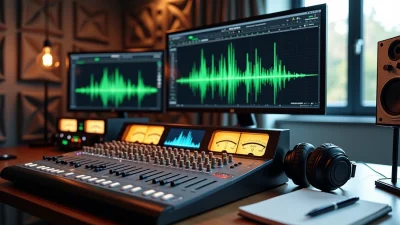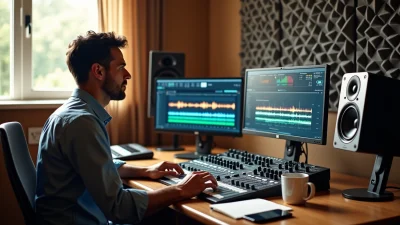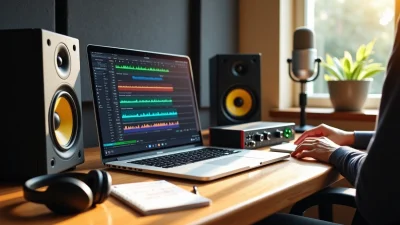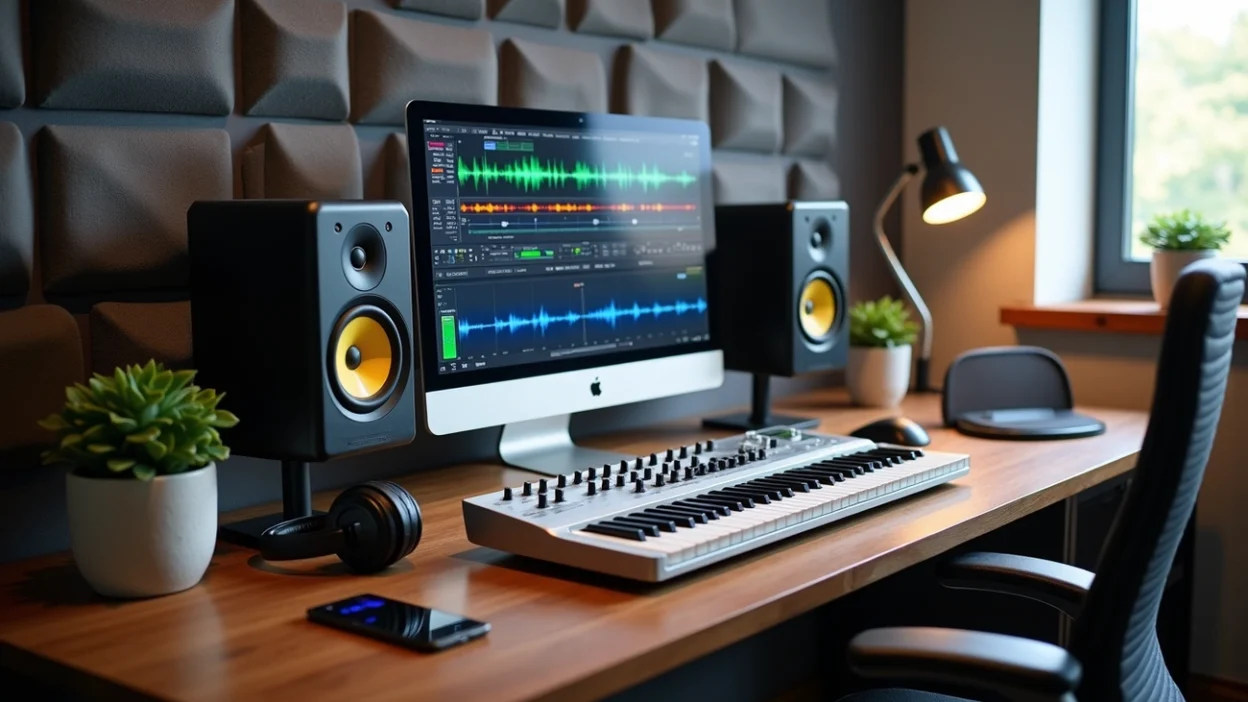
Home studio mastering isn’t just for professionals anymore. In fact, more and more chart-topping music is being produced in bedrooms, hotel rooms and living rooms . Mastering requires study and practice , but it’s an acquired skill anyone can develop with the right approach. In this piece, I’ll walk you through the home studio mastering setup you need, including the best home studio monitors for mixing and mastering, home studio mastering software and home studio mastering plugins that work. We’ll cover tested techniques, proper monitoring practices and common mistakes to avoid in your home studio mastering setup.
Essential Home Studio Mastering Setup for Professional Results
Your listening environment shapes every mastering decision you make. Accurate monitoring and proper room treatment are essential. The best processing skills won’t translate to other playback systems without them.
Best Home Studio Monitors for Mixing and Mastering
Studio monitors must provide a flat frequency response. They don’t artificially boost bass or hype treble [1]. This honest representation lets you hear your mix exactly as it exists and enables precise adjustments that work across car stereos, earbuds and club systems.
The Yamaha HS Series (HS5, HS7, HS8) stands as the modern successor to the legendary NS-10 monitors found in professional studios for decades [2]. Their flat frequency response is honest and reveals the truth rather than flattering your music. Your mix will translate well everywhere if it sounds powerful on HS monitors. The ADAM Audio T Series brings proprietary U-ART accelerated ribbon tweeter technology to an available price point [2]. The front-facing bass port makes them forgiving when placed near walls, a common scenario in home studios.
KRK ROKIT G5 Series offers solid performance with several voicing modes to adapt to different environments [2]. The Neumann KH Series represents the professional choice when precision is non-negotiable and delivers exceptional accuracy with precise stereo imaging [2]. Position your monitors to form an equilateral triangle with your listening position. Note that the triangle must terminate 12-18 inches behind your head since your ears are spaced apart, not centered [1].
Home Studio Mastering Software You Need
Mastering software provides the tools to balance stereo mixes, adjust frequencies and manage dynamics [3]. Audio quality comes first when selecting software. Look for programs supporting at least 24-bit/96 kHz audio to ensure crisp, clear masters [3].
iZotope Ozone works as an AI-powered mastering suite with intelligent modules for EQ, dynamics, maximizer and tonal balance [4]. Steinberg WaveLab offers professional audio mastering capabilities including spectral editing, batch processing and advanced restoration tools [4]. Most modern DAWs handle mastering tasks well, but specialized platforms provide advantages. The software must run smoothly on your existing setup and integrate with your workflow [3].
Home Studio Mastering Plugins That Make a Difference
FabFilter Pro-L 2 sits at the end of every mastering chain. This limiter allows transparent limiting even when pushed hard and features multiple algorithms with 32x oversampling [5]. It represents an essential investment at $199 [5].
The Weiss De-Ess softens sibilance and tames high frequencies while removing harshness from masters [5]. The Weiss Compressor & Limiter excels at tightening bass elements for compression [5]. FabFilter Pro-Q3 is the most popular digital EQ, with band soloing, mid/side processing and dynamic mode [5]. The UAD Pultec provides classic analog EQ character and is excellent for broad-stroke mastering moves [5].
Ozone 9 Advanced combines multiple modules including EQ, compressor, vintage EQs, multi-band imager and various limiting algorithms [5]. These can function as independent plugins as well.
Acoustic Treatment Basics for Accurate Mastering
Acoustic treatment matters as much as the monitors themselves [2]. Premium speakers sound inaccurate in rooms with major reflection issues and uncontrolled bass frequencies.
Broadband absorbers should measure at least 4 inches thick. Eight inches provides better low-frequency absorption [6]. Panels measuring 48 x 24 inches work well for most applications. Install absorbers 2 to 4 inches away from walls to increase low-frequency effectiveness [6]. Cover at least 30% of your dead end wall with broadband absorbers, particularly the area behind your speakers [6]. Place two additional absorbers on sidewalls at first reflection points. Treat the ceiling above your listening position with ceiling clouds.
Bass traps go in room corners where bass energy accumulates strongest [6]. Corner-straddling panels extending floor to ceiling can absorb frequencies down to about 70 Hz [1]. Excessive low-frequency absorption rarely occurs in small rooms [7].
Diffusers create irregular surfaces that scatter sound waves randomly [6]. Place them at the rear walls of your studio to prevent flutter echoes while maintaining some room liveliness. Bookshelves arranged with books creating jagged surfaces work as budget alternatives. Balance remains key. Over-treating creates an unnaturally dead space that is equally misleading as excessive echo [1].
Pre-Mastering Preparation: Getting Your Mix Ready
Mastering can’t fix a broken mix. With that said, preparing your mix properly before moving to the mastering stage determines whether you’ll achieve professional results or waste hours fighting technical problems.
Check Your Mix Before Mastering
Your mix should already be 90% ready for release before mastering begins. Channel volumes should balance well, with vocals clear and bass present but not overpowering [3]. You need to get rid of all clicks, pops and unwanted noise from recordings. Low-cut filters will remove unwanted low-end from vocals and other non-bass elements. Your DAW’s utility function lets you listen in mono to catch phase issues [4]. Phase cancelation problems need fixing at the mix stage if entire elements disappear when playing back in mono.
Proper Gain Staging and Headroom
Headroom refers to the space between your loudest peak and 0 dBFS (decibels full scale), the maximum level digital audio can reach before clipping [8]. You want peaks hitting between -6 dBTP and -3 dBTP [3][4]. This provides enough space for mastering processing without distortion.
Any limiters on your master bus should be removed before exporting [4]. These squash dynamics and leave no room for proper mastering. Light compression on the master for glue can stay only if attenuation remains under 3dB [9]. A loudness meter like Youlean will verify your levels. Your mix staying quieter than -16 LUFS means you’ve retained dynamic and loudness range [10]. All channel faders should be lowered proportionally rather than just pulling down the master fader to maintain your carefully balanced mix [4].
Reference Track Selection and Loudness Matching
Reference tracks in the same genre with similar instrumentation to your production work best [10]. Professionally mastered reference tracks will be much louder than your unmastered mix. The human ear perceives louder sounds as having fuller bass and more clarity in the high end [11]. Fair comparison becomes impossible without level matching because of this illusion.
A LUFS meter will match the perceived loudness of your reference to your mix [11]. Just 1dB of increase can create the illusion of a better mix [11]. Your reference track can be loaded into a plugin like REFERENCE and the level match button will instantly match volumes accurately [11]. You can determine tonal balance, low-end solidity and whether processing improves or harms your mix once levels match.
Export Settings That Won’t Ruin Your Master
Export settings either preserve or destroy your mix quality. Lossless formats are the only option:
File Format: WAV or AIFF only, never MP3 or M4A [4][5]
Bit Depth: 24-bit minimum, or 32-bit float if available [3][5]
Sample Rate: Match your project’s native rate, typically 44.1 kHz or 48 kHz [4][5]
Dithering: Turn it off; mastering engineers apply this when needed [4][9]
Normalization: Avoid it; this alters volume levels before mastering [5]
Your source bit depth and sample rate should match your export [4]. Recording at 24-bit/44.1 kHz means exporting at 24-bit/44.1 kHz. Upsampling adds no quality to already-recorded audio. A few seconds of silence at the beginning and end give mastering engineers room for fades [10].
Core Home Studio Mastering Techniques (Tested Methods)
Processing begins with establishing your mastering chain sequence. Start by setting a limiter at your chain’s end to establish final output levels [12]. This counterintuitive approach allows accurate assessment of how other processors affect your sound.
EQ Adjustments: Subtle Corrections Only
Mastering EQ requires surgical precision. Adjustments typically measure 1 dB or less since changes affect the entire stereo mix at once [12][13]. Start with a gentle high-pass filter around 20-30 Hz to remove subsonic rumble that consumes headroom [14]. Address problem frequencies with narrow cuts: nasal tones often sit near 800 Hz, while muddiness accumulates between 200-500 Hz [14]. Harshness that concentrates in the 2-5 kHz range benefits from subtle attenuation [14].
Enhancement follows correction. A low-shelf boost below 100-150 Hz adds weight, while high-shelf increases above 8-12 kHz introduce air and sparkle [14]. Use broad bandwidth settings for mastering EQ to affect overall tonal balance rather than individual instruments [15]. Any EQ with mid/side capabilities makes width adjustments possible by boosting side channels or cutting mid channels for specific frequency regions [12].
Compression Settings for Glue and Control
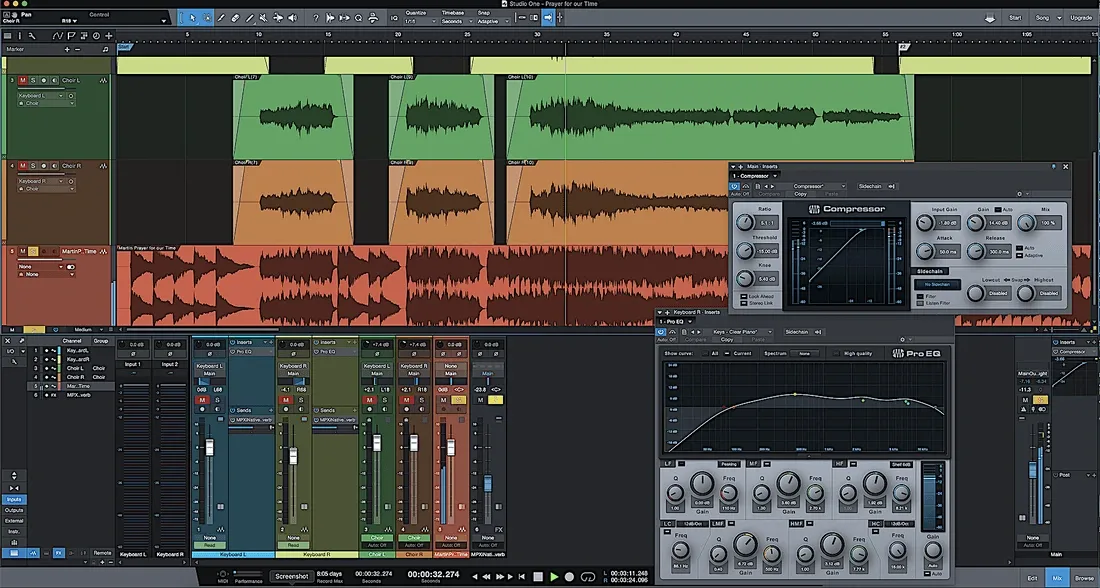
Compression adds cohesion without sacrificing dynamics. Set ratios between 1.25:1 and 2:1 for transparent control [14]. Your threshold should trigger only 1-2 dB of gain reduction on the loudest passages [14]. Attack times around 20-50 ms allow transients to pass through unaffected and preserve punch [14]. Release timing matters. Set it so the gain reduction meter breathes with your music and returns to zero just before the next beat [14].
Use dynamics processors in an accelerating manner: slower attack and release on compression lets your limiter react more quickly with less distortion [12]. The compressor handles the body while leaving peaks for the limiter.
Limiting Without Destroying Dynamics
Set your limiter’s output ceiling to -1.0 dBTP to prevent intersample peaks during format conversion [14]. Target around -14 LUFS integrated for streaming platforms [14]. Transparent limiters like Pro-L 2 maintain clarity even under pressure [16].
Stereo Imaging: When and How to Use It
Keep frequencies below 150 Hz in mono to maintain low-end focus and mono compatibility [14]. Boost side channels in the high frequencies for added width, but always verify your master maintains power when collapsed to mono [12].
The Volume Build-Up Trick for Effective Drops
Increase limiting intensity as you approach drops or choruses. This dynamic variation creates anticipation and makes the impact more dramatic when full processing engages.
The Mono Build-Up Technique for Wider Masters
Narrow the stereo image during verses or build sections, then open it wider during choruses. This contrast makes the width more noticeable and effective when it arrives.
Testing Your Master Across Multiple Systems
Translation testing reveals whether your home studio mastering decisions hold up on the ground. You need to check across multiple playback systems to catch issues your monitors might hide.
The Car Speaker Test
Cars expose low-end deficiencies better than almost any other listening environment [7]. Export a high-quality WAV or AIFF file at the same resolution you’d use for distribution [6]. Avoid Bluetooth since it recompresses audio. Load the file onto a USB drive and plug it into your car stereo, or use an aux cable from your phone [6].
Listen at multiple volumes. Quiet levels reveal buried vocals or lead instruments. Moderate volume checks overall balance, and loud playback exposes harshness or distortion [6]. Pay attention to muddiness between 100-300 Hz, which often requires a gentle EQ cut on your master bus [6]. Try a tight boost around 2-4 kHz to emphasize the beater click rather than adding more low-end if the kick feels thin [6]. Vocal clarity issues around 250 Hz often indicate the vocal’s low-mids are fighting with other elements [6].
Resist testing in your car the same day you mixed on your monitors. Let your ears reset first [1]. Listen to several reference tracks before your own master to establish how the car system behaves [1].
Headphone Verification Method
Headphones excel at quality control and reveal micro details like harsh consonants and reverb artifacts [7]. Check on at least two pairs: professional open-back headphones for accuracy and consumer earbuds that represent what listeners use [17]. Headphones can mislead on bass response and stereo imaging since they remove room acoustics [7].
Mobile Device Playback Check
Phone speakers strip away sub bass and collapse stereo imaging. They expose harshness in the upper midrange and top end [7]. Your high-end needs smoothing if cymbals and consonants grate compared to your reference track [7].
A/B Comparison with Professional Tracks
Switch between your master and professional tracks to prevent ear fatigue from clouding judgment [18]. A/B comparison helps with EQ decisions, dynamic range and stereo width while ensuring your master translates well across systems [18].
Common Home Studio Mastering Mistakes to Avoid
Mistakes compound fast when you master at home. Small processing errors affect your entire stereo mix and precise technique becomes necessary.
Over-Processing the Master Bus
EQ amplifications or attenuations exceeding 2dB qualify as excessive when mastering [19]. Compression greater than 4dB becomes aggressive [19]. More than 10 separate plugins indicate redundant processing [19]. Mastering improves rather than changes the sound crafted during mixing. Restraint produces more effective results than throwing every available processor at the master bus [20].
Fixing Mix Problems During Mastering
Mastering can’t separate individual tracks in your stereo file [21]. You must resolve panning issues during the mix stage [21]. Clipping can’t be eliminated through mastering [21]. If your vocal sits too quiet or bass lacks energy, return to the mix rather than attempting surgical fixes on the master [21].
Monitoring at Wrong Levels
The standard monitoring baseline for mastering falls between 80-83 dB SPL [22]. Incorrect monitoring volumes introduce increased distortion and cause over-processing decisions [19]. Fine-tune to a fixed monitor gain for consistent mastering decisions [20].
Skipping the Reference Track
You lose context for tonal balance and loudness targets without references [20][23]. Level matching remains critical since louder music tricks our perception [23].
Table of Contents
Ignoring Low-End Frequency Management
Keep frequencies below 150 Hz in mono for tightness and mono compatibility [24]. Bass-heavy mixes sound muddy and make mastering difficult [21].
Conclusion
Home studio mastering remains an acquired skill that just needs patience and proper preparation. Your monitoring environment and reference tracks matter more than expensive plugins. The techniques I’ve shared work consistently when applied with restraint, especially when keeping EQ moves under 2dB and compression gentle.
I’ve found that testing on systems of all types catches more issues than any plugin can reveal. Your car stereo and phone speakers provide honest feedback that studio monitors sometimes miss.
Quality monitors and acoustic treatment pay off right away, whereas chasing endless plugins does not. Start with these fundamentals, trust your ears, and your masters will translate everywhere.
References
[1] – https://www.justmastering.com/article-checking-mixes-in-the-car.php
[2] – https://www.studiodesk.net/blogs/desktalk/the-best-studio-monitors-of-2026-a-producers-expert-guide?srsltid=AfmBOorYDiimtuSSshLa-KI6lSKN2UEl8kW-MCBHmPThatEOHMIegPzR
[3] – https://alexanderwright.com/blog/how-to-prepare-your-mix-for-mastering
[4] – https://splice.com/blog/how-to-prepare-your-mix-for-mastering/
[5] – https://www.samplesoundmusic.com/blogs/news/how-to-export-your-song-for-mastering-best-settings-and-formats?srsltid=AfmBOopgru0q5fb-3AdMMHo01F67BmVo0kk7m1VzWgcD_I1NryvMHZgr
[6] – https://www.stemmer.io/post/mastering-your-song-for-the-car
[7] – https://www.izotope.com/en/learn/playback-systems-tips?srsltid=AfmBOooHZA3iJbMTUwvxWX0lC7V4NZaR-tqoP5nSNJvvYb-kypZmhPnr
[8] – https://www.chromamastering.com/how-much-headroom-for-mastering/
[9] – https://www.sageaudio.com/articles/how-to-prepare-your-mix-for-mastering
[10] – https://www.masteringthemix.com/blogs/learn/the-ultimate-guide-to-preparing-for-mastering?srsltid=AfmBOooTLJnLDNH_I3Tj1JZ95qZDaf86ktbW956fXRndOTA2GRlRA5Il
[11] – https://www.masteringthemix.com/blogs/learn/114050949-this-transformed-my-mixes?srsltid=AfmBOooSPii5uLlhZBL37gNGggJ7loxpMQmu5PDNbfMJM5ruhUp_MNZv
[12] – https://www.izotope.com/en/learn/10-tips-for-mastering-if-you-are-not-a-mastering-engineer?srsltid=AfmBOop83eGAUYqZSdzyttUvjX90hmbzlHWRAztx1mXzdlJPc4xtMtXN
[13] – https://www.izotope.com/en/learn/how-to-eq-your-master?srsltid=AfmBOorpaGIReY9NHILvZK-FejWrpXDWUpE7umESXD7mS3KTlS8HT6d0
[14] – https://www.nearstream.us/blog/mastering-in-the-box-home-studio-guide?srsltid=AfmBOorQZbt_a5sWhY_ruWt7pL7VRw89t6AQvXe756jmDXF4dHDv3MO5
[15] – https://www.masteringbox.com/learn/mastering-eq-guide
[16] – https://weraveyou.com/2026/03/best-mastering-plugins-for-home-studios-2026-guide/
[17] – https://www.masteringthemix.com/blogs/learn/the-ultimate-guide-to-mixing-on-headphones?srsltid=AfmBOoqYP69FKQqMEiGv8WYCCoT9GDiBj_LcTRUfcb9HD5naZxipSwTG
[18] – https://www.dannykirschmusic.com/a-b-comparison-techniques-using-reference-tracks/
[19] – https://www.sageaudio.com/articles/10-mastering-mistakes-to-avoid
[20] – https://www.izotope.com/en/learn/10-beginner-mistakes-to-avoid-when-mastering-music?srsltid=AfmBOorEgd1i-xwZyKzFEUcw5GE_Jrtd7tDbuTB3WNC3gK8_zaPmWScu
[21] – https://www.chromamastering.com/can-mastering-fix-a-bad-mix/
[22] – https://www.masteringbox.com/learn/8-mastering-mistakes-when-mastering-your-own-music
[23] – https://www.masteringthemix.com/blogs/learn/how-to-use-reference-tracks-when-mastering?srsltid=AfmBOopohttLihl7EppDua_XR29JXREx-6EuBA5BVT16k_FGfV2oWElN
[24] – https://blog.mixanalog.com/mono-low-end-guide