Streaming LUFS standards remain one of the most confusing parts of music production. Streaming platforms now control 84% of the music market in 2023, yet producers still struggle to grasp these concepts. Many chase after the “perfect” loudness target and end up sacrificing their mix’s quality and dynamics.
Getting your streaming masters right means knowing each platform’s target LUFS. Spotify wants -14 LUFS, Apple Music prefers -16 LUFS, and Amazon Music aims for -13 LUFS. But these standards don’t tell the whole story. The top 25 tracks on Spotify in 2022 measured -8.4 LUFS on average – much louder than what the platform suggests.
This gap between official guidelines and what’s actually hitting the charts leaves many producers scratching their heads. Should they target -14 LUFS during mastering or go louder to match popular tracks? True peak limits between -1 and -2 dBTP[-4] make things even more complex.
This piece will clear up the confusion about streaming LUFS standards and show you what works in 2026. You’ll learn the best ways to master your tracks for Spotify, Apple Music, YouTube, and other platforms. The focus stays on both technical requirements and competitive playback that gets results.
What Is LUFS and Why It Matters for Streaming
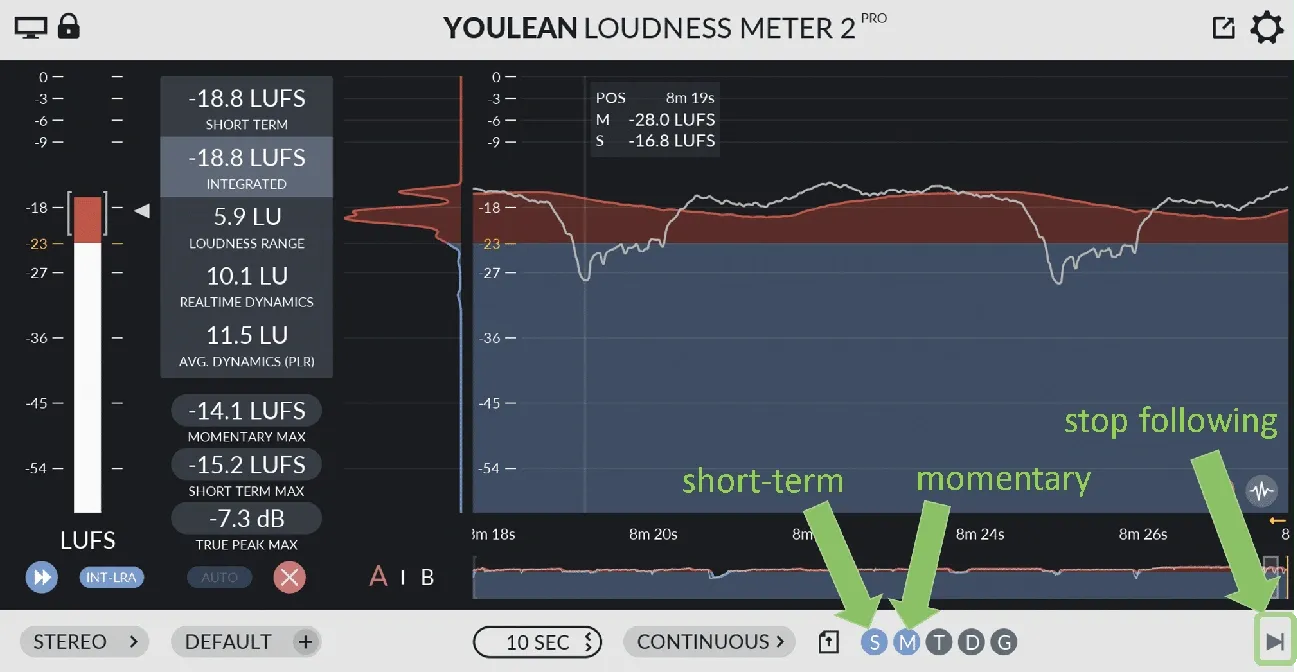
Image Source: Youlean
LUFS stands for Loudness Units Full Scale and it’s the gold standard for measuring audio loudness on streaming platforms. Unlike regular volume measurements, LUFS shows how humans actually hear sound, which makes it a vital metric in modern audio production.
Understanding LUFS vs RMS
Audio engineers used RMS (Root Mean Square) to measure average loudness for many years. RMS calculates the electrical power of an audio signal over time, giving a value between peak and minimum levels. While RMS is useful, it has one big limitation – it measures voltage instead of how loud something sounds.
LUFS measures loudness based on how people hear. This difference matters because two tracks with similar RMS readings might sound completely different in volume. LUFS fixes this problem by adding frequency sensitivity to its calculations.
Here’s a real-world example: bass-heavy club music might show very high RMS values when the bass drops, whatever the track sounds like to listeners. LUFS gives you a better picture of how your audience actually experiences your music on different systems.
How LUFS measures perceived loudness
LUFS starts by using a K-weighting filter on incoming audio. This filter does two important things:
Adds a 4 dB high-shelf boost above roughly 2 kHz
Uses a 12dB/octave high-pass filter at 100 Hz
These changes match how human hearing works – we naturally hear mid-range frequencies better than very low or high sounds. So LUFS puts more emphasis on the frequency ranges our ears naturally pick up.
LUFS comes in three main types:
Integrated LUFS: The average loudness of an entire track – streaming platforms use this as their standard
Short-term LUFS: Loudness measured over 3 seconds – great for checking dynamic sections
Momentary LUFS: Loudness over 400 milliseconds – works like RMS to show instant levels
Basically, if you turn up a track’s volume by 3 dB, its LUFS reading goes up by 3 LU (Loudness Units). But EQ changes can affect LUFS values even without volume changes, depending on which frequencies you adjust.
Why LUFS replaced older loudness metrics
LUFS became popular because of the “loudness war” that ruled music production before streaming took over. Back then, engineers tried to make their tracks louder than everyone else’s, often making the sound quality worse.
Listeners had a hard time with this – they kept adjusting volume between tracks that had very different loudness levels. Plus, old measurements like dBFS (decibels relative to full scale) only showed technical headroom rather than actual loudness.
Streaming services fixed this by normalizing loudness – they automatically adjust tracks to sound equally loud. They needed a standard measurement based on human hearing rather than electrical signals for this to work well.
LUFS was the answer, offering a standard that works for all genres and platforms. The International Telecommunication Union made LUFS the official standard for measuring loudness. Now it’s the go-to metric for broadcast, film, and streaming services.
While LUFS isn’t perfect (it doesn’t handle bass-heavy club music very well), it’s still the best tool we have to ensure consistent listening across platforms. Engineers can now make better mastering decisions instead of just trying to make everything as loud as possible.
Loudness Normalization Explained Simply
Loudness normalization is the foundation of modern streaming platforms’ sound delivery systems. It works as a standardized volume control that gives listeners a consistent experience across songs and platforms.
What is normalization in streaming?
Audio normalization adjusts the gain of an entire track. The goal is to match its measured loudness (usually in LUFS) to a specific target level. Unlike dynamic processing, the same amount of gain change applies throughout the file. This preserves the original dynamic range.
Streaming platforms use normalization as an automatic volume control system. Users don’t need to keep adjusting their volume when switching between songs from different eras or genres. The result is a smoother listening experience, especially when shuffling through different artists or albums.
There’s a significant difference between normalization as a requirement and as a feature. Netflix demands content delivery at exactly -27 LKFS ±2 LU with dialog gating. Spotify, on the other hand, offers normalization as a feature that tweaks uploaded content to about -14 LUFS.
How normalization affects playback volume
Streaming platforms measure your track’s integrated LUFS value after upload. They then apply gain adjustments to match their target standard. The normalization process works two ways:
Negative gain turns down louder masters that are above the target LUFS. A track at -11 LUFS on Spotify would drop by 3 dB to hit their -14 LUFS standard. This change is like turning down your volume knob – it’s a clean gain adjustment that doesn’t affect the track’s character.
Positive gain boosts quieter masters up to the target level. Spotify leaves 1 dB headroom for lossy encodings to maintain audio quality when applying positive gain.
Spotify Premium users can pick from three loudness settings based on their environment:
Loud: -11 dB LUFS
Normal: -14 dB LUFS
Quiet: -19 dB LUFS
True peak vs sample peak: what to watch for
Most DAWs show audio levels using Sample Peak Program Meters (SPPM). These display only the peak sample value rather than the “True Peak”. This matters a lot when mastering for streaming.
True peak metering shows the absolute peak of a waveform as heard through speakers after digital-to-analog conversion. A reconstruction filter smooths out the stepped digital signal during conversion. This can cause level fluctuations. Signals near 0 dBFS might clip and distort, especially on consumer-grade playback systems.
Mastering engineers should leave proper headroom between their loudest peaks and 0 dBFS to avoid distortion. The industry recommends:
Quieter songs (below platform reference LUFS): Keep true peak below -1 dBTP
Louder songs (above platform reference LUFS): Keep true peak below -2 dBTP
These guidelines help your tracks sound great across streaming services without unwanted artifacts or distortion during encoding.
Table of Contents
Streaming LUFS Standards by Platform (2026 Update)
Streaming platforms use their own loudness standards that shape how your music sounds to listeners. These platform-specific requirements play a crucial role in achieving consistent playback across services in 2026.
Spotify: -14 LUFS, Ogg Vorbis
Spotify’s target remains at -14 LUFS integrated loudness based on the ITU 1770 standard. The platform uses Ogg Vorbis format, which needs extra attention to peaks during mastering. The service normalizes complete albums played in sequence, which keeps your intended dynamic relationships between tracks.
Spotify lets listeners choose from three loudness settings:
Loud: -11 dB LUFS (applies additional limiting)
Normal: -14 dB LUFS (default setting)
Quiet: -19 dB LUFS
About 87% of Spotify users stick to the default -14 LUFS setting. Your masters should keep true peaks below -1 dBTP (-2 dBTP for louder masters) to avoid encoding distortion.
Apple Music: -16 LUFS, AAC
Apple Music takes a different approach with a -16 LUFS reference level, delivered through AAC format at 256 kbps. This lower target works better with dynamic masters compared to other platforms. The platform boosts quieter songs up without limiting, unlike YouTube.
Apple Music’s dual normalization system stands out. It switches between track-level and album-level normalization based on whether users listen to playlists or complete albums. This helps preserve your intended listening experience in both scenarios.
YouTube: -14 LUFS, AAC
YouTube sets its reference level at -14 LUFS with always-on normalization—users can’t turn this off. The platform uses AAC format but handles audio differently from other services. It won’t boost quieter tracks to match louder ones. Your tracks mastered below -14 LUFS will sound quieter on YouTube than on platforms that boost softer content.
YouTube uses track normalization exclusively, unlike Spotify and Apple Music’s album-level options.
Tidal, Amazon, SoundCloud, Bandcamp
Other major platforms follow their own standards:
Tidal: -14 LUFS reference with album-only normalization, using high-quality FLAC formats for premium tiers
Amazon Music: -14 LUFS (some sources suggest -13 LUFS) with track-only normalization and HD FLAC options in various quality tiers
SoundCloud: Now uses -14 LUFS normalization by default, with both Ogg Vorbis and AAC formats
Bandcamp: Skips normalization entirely, letting artists keep full control over playback levels
Major platforms have moved toward similar standards, with -14 LUFS becoming the common target. This makes mastering easier than before, but you still need to watch those true peak levels for different codecs.
Mastering for Streaming: Best Practices in 2026
Your mastering decisions shape how your music sounds across streaming platforms. Loudness normalization has become standard, and this means we need to rethink many traditional mastering approaches.
Target LUFS for mastering: is -14 LUFS ideal?
Many believe -14 LUFS is the “perfect” mastering target. Let’s call it a reference point for how platforms normalize your music. The goal of loudness normalization was never about forcing engineers to use specific levels—it exists to benefit the end user. Most commercial tracks are mastered much louder. Top Spotify tracks reach -8 to -11 LUFS.
The sweet spot between loudness and dynamics depends on your genre. A balanced master at -14 LUFS gives you room for dynamic impact. Mastering louder isn’t wrong—your track will just be turned down more during playback.
True peak limits: -1 dBTP or -2 dBTP?
Most engineers use -1.0 dBTP as their ceiling for true peaks. This safety margin helps prevent clipping after lossy codec conversion, where extra energy might create distortion. Bright or dense material might need a lower ceiling between -1.2 to -2.0 dBTP.
Spotify suggests keeping peaks below -2 dBTP for louder masters that exceed -14 LUFS. Your true peak levels should stay below -0.3 dBTP to avoid codec-related distortion.
Dynamic range vs loudness: finding the balance
Dynamic range creates emotional impact and gives your music room to breathe. Your dynamic range PSR should stay above 8 to keep the music alive. This balance is vital now that streaming normalization neutralizes loudness advantages—making dynamics more valuable.
Don’t sacrifice dynamics just to get higher loudness. This often leads to lifeless masters after normalization.
Should you create multiple masters?
You rarely need separate masters for different streaming platforms. All platforms use automatic normalization, so one well-crafted master will work reliably everywhere. Multiple masters cost more, make distribution complex, and might confuse listeners—with few real benefits.
One properly created master with the right loudness and true peak management works great across major platforms. This saves time and money while giving your audience a consistent experience, no matter where they listen.
Tools to Measure LUFS and Optimize Your Master
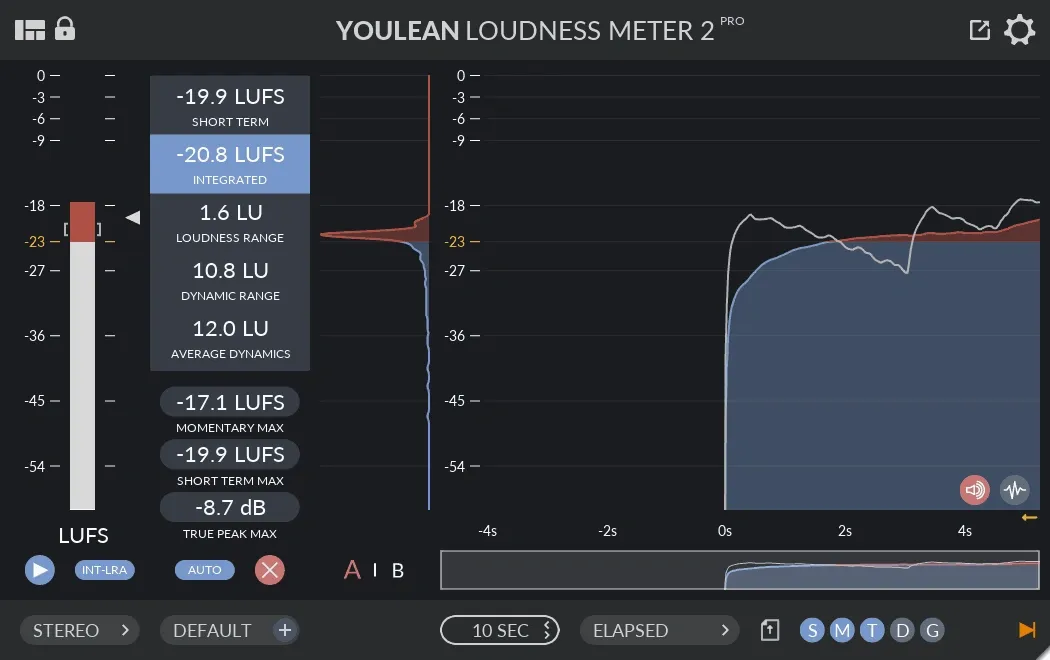
Image Source: Mixing & Mastering Service
Getting the right loudness levels on streaming platforms requires precise measurement tools. The right meters help you check your master’s performance before distribution.
Using Insight, RX, and LEVELS
iZotope Insight 2 is a complete metering tool that shows short-term, momentary, and integrated LUFS values at once. You need to play your track from start to finish without interruption to get accurate integrated LUFS measurements. iZotope RX gives you a quicker option with its Waveform Statistics window (Option+D) that analyzes audio files without playing them in real-time. LEVELS by Mastering The Mix keeps things simple with user-friendly color-coded meters that show when your master goes above platform limits. Youlean Loudness Meter comes in free and premium versions and supports streaming presets for Spotify, YouTube, and Apple Music.
Streaming preview modules
The Streaming Preview module in RX 11 lets you hear how your master will sound after platforms process it. It mimics different codecs (OGG, OPUS, AAC) and quality settings while adding the right loudness normalization. This feature shows how lossy compression changes true peak levels, which often end up higher than your original file.
Loudness Optimize in RX 11
RX 11’s new Loudness Optimize looks at content below the LUFS measurement gate (-10dB relative threshold). The module finds sections that don’t affect integrated loudness measurements and uses upward compression to push them above the threshold. So this clever approach slightly reduces measured LUFS, which makes streaming services add more gain during normalization—and your track ended up sounding louder.
Conclusion
Our exploration of streaming LUFS standards reveals key truths about how your music performs across modern platforms. In 2026, streaming LUFS normalization has fully replaced the old “loudness wars” mindset. Today, platforms use streaming LUFS-based normalization systems to deliver a consistent listening experience.
Many producers believe you must hit -14 streaming LUFS for success. That’s not entirely true. While -14 streaming LUFS is the common reference level for most services, it mainly helps predict how platforms will adjust your track. In reality, many hit songs are mastered much louder (between -8 and -11 LUFS), even though streaming LUFS normalization will reduce their playback gain.
Your balance between dynamics and loudness matters far more than strictly targeting a specific streaming LUFS level. Because streaming LUFS normalization removes loudness advantages, dynamic range becomes your biggest competitive asset. At the same time, maintaining proper true peak headroom (-1 to -2 dBTP) is essential to ensure your track translates cleanly through codecs after streaming LUFS processing, avoiding distortion.
Most major platforms now align around similar streaming LUFS standards (typically -14 LUFS), simplifying mastering decisions. Thanks to unified streaming LUFS targets, you no longer need separate masters for each service, which saves time while preserving consistency across platforms.
Modern metering tools make streaming LUFS optimization straightforward. However, these tools should guide your decisions — not control them. Mastering remains an art that goes beyond simply hitting a streaming LUFS number.
As we move through 2026 and beyond, streaming LUFS normalization standards will continue evolving. Still, one principle remains constant: masters with strong dynamics will always outperform tracks pushed purely for loudness. Focus first on punch, emotion, and balance — then use your knowledge of streaming LUFS to ensure your music performs perfectly on every platform.