Streaming LUFS standards have become crucial for audio professionals as streaming now controls 84% of the music market share in 2023. The exact loudness requirements still confuse many professionals on different platforms.
My experience with mastering shows that Spotify, YouTube, Tidal, and Amazon Music normalize to around -14 LUFS integrated. Apple Music targets -16 LUFS [-4], while Deezer operates at -15 LUFS [-4]. The optimal LUFS for streaming isn’t a one-size-fits-all approach. A balanced master around -14 LUFS with -1 dBTP true peak works safely on all platforms, though specific requirements differ. This piece explores streaming platform LUFS and their impact on your mixes, their importance, and ways to achieve the best results whatever platform plays your music.
What Is LUFS and Why It Matters for Streaming
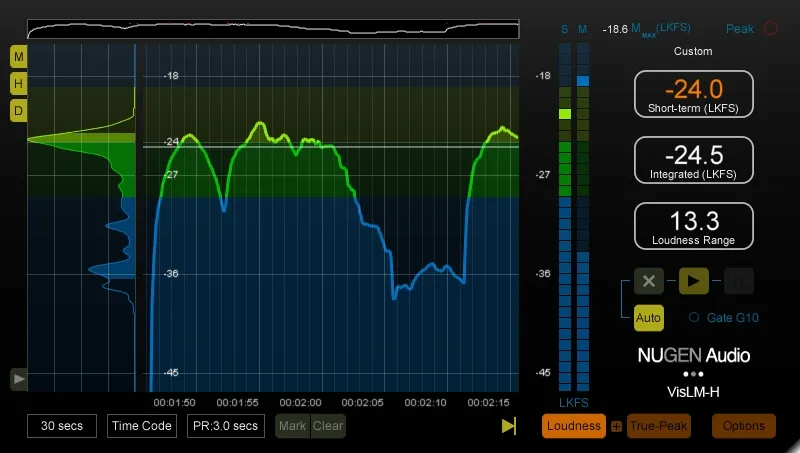
Image Source: Wav Monopoly
LUFS (Loudness Units Full Scale) stands as the standard way to measure audio loudness on streaming platforms. LUFS goes beyond basic volume measurements to gage how loud audio feels to human listeners rather than just measuring signal levels.
Understanding LUFS vs RMS
Audio engineers used RMS (Root Mean Square) to measure average signal power for many years. RMS calculates the mathematical average of audio signal energy in a 300-millisecond window. RMS helps determine overall signal strength but treats all frequencies the same way. This creates a problem because our ears don’t hear all frequencies at equal loudness.
LUFS fixes this issue by using frequency weighting that matches human hearing. Here’s what makes these measurements different:
Frequency sensitivity: LUFS uses K-weighting to highlight frequencies we hear more clearly, while RMS just measures raw electrical energy no matter the frequency
Perceptual accuracy: LUFS better represents how loud music feels to listeners, which makes it perfect for streaming platforms that need consistent sound
Standardization: LUFS has become the international standard for broadcast and streaming loudness, taking over from older methods
Both systems show average loudness in negative values – numbers closer to zero mean louder audio. Short-term LUFS and RMS often show similar readings on many mixes, which helps engineers switch between systems.
How LUFS measures perceived loudness
LUFS starts by applying a K-weighting filter to incoming audio. The filter boosts frequencies above 2 kHz by 4 dB and cuts frequencies below 100 Hz at 12 dB per octave. These adjustments match our natural hearing – mid-range frequencies sound louder to us than very low or high sounds.
You’ll find several types of LUFS measurements:
Momentary LUFS: Shows perceived loudness in a 400-millisecond window, perfect for checking specific elements
Short-term LUFS: Looks at a 3-second window to check section loudness
Integrated LUFS: Measures the average loudness of an entire track, which streaming platforms use for normalization
LUFS measurements also look at true peak levels. True peak detection uses oversampling at four times the normal rate to predict actual analog voltage from digital-to-analog converters more accurately than sample peak meters that only show digital levels.
Why LUFS replaced older loudness metrics
The “loudness wars” of the late 1990s and early 2000s pushed LUFS into the spotlight. Engineers made tracks louder and louder to stand out, maxing out decibel levels without thinking about dynamic range or listening fatigue.
This created two big problems:
Volume levels jumped dramatically between tracks
Songs became too compressed and tired out listeners
The European Broadcast Union brought in the LUFS standard in 2011 to even out TV program volumes. Streaming platforms soon followed with similar rules to keep listening levels steady across all genres and release dates.
LUFS normalization has brought dynamic range back to audio production. Engineers now focus on musicality, tonal balance, and dynamic contrast instead of just making things loud. These elements add more to perceived quality than raw volume ever could.
While integrated LUFS matters for distribution, it shouldn’t drive your mixing or mastering decisions. Mastering engineer Ian Shepherd puts it well: “Integrated LUFS is not a target loudness for mixing or mastering. Integrated is about distribution levels. Nothing else. It should be the result, not the goal”.
How Loudness Normalization Works Across Platforms
Streaming platforms have changed the way we master music through loudness normalization. This standard process makes sure all tracks play at the same volume, no matter how they were originally mastered.
What is loudness normalization?
Streaming services use loudness normalization to automatically adjust audio tracks to a set volume level. Peak normalization looks at the highest signal peak, but loudness normalization looks at how loud the whole track feels. This creates a better listening experience when you play songs from different albums or playlists.
The process works by adding or reducing gain without changing the dynamic range. Take Spotify as an example. The platform measures your track’s loudness during upload without changing your audio file. It just tweaks the playback volume to hit their target of -14 dB LUFS. Your track will be turned down if it’s too loud. Most platforms won’t boost very quiet tracks past a certain point to avoid distortion – YouTube was the only exception until 2022.
Integrated LUFS vs short-term LUFS
These two measurements look at perceived loudness in different ways:
Short-term LUFS: This shows you how loud a 3-second section of your track feels. You can spot the loud and quiet parts of your song with this measurement.
Integrated LUFS: This tells you how loud your entire track feels on average. Streaming services use this number to decide how to adjust your track’s volume. It gives you the big picture of your track’s overall loudness.
Streaming platforms care most about the integrated value. Both measurements help you balance your track’s dynamics during mixing and mastering.
True peak limiting and inter-sample peaks
Mastering for streaming requires you to understand true peaks and inter-sample peaks (ISPs). Regular digital peak meters only show sample points. The actual analog wave might go above 0 dBFS between these points during playback.
These hidden peaks (ISPs) can distort your audio when converted to digital or processed as MP3s or AACs. Some people think ISPs are just theory, but they can cause real audio problems, especially in very loud masters.
Streaming platforms have set specific limits to avoid these issues. Spotify wants you to stay below -1 dBTP for tracks at -14 LUFS, and below -2 dBTP for louder tracks. This extra space prevents distortion when your music gets converted to formats like Ogg/Vorbis and AAC.
Modern mastering tools like iZotope Ozone come with true peak limiters. These tools use oversampling at 4x or higher rates to catch and control potential peaks. True peak limiting might smooth out some transients, but your music will play without distortion on any system or streaming platform.
Streaming LUFS Levels by Platform (2025 Update)
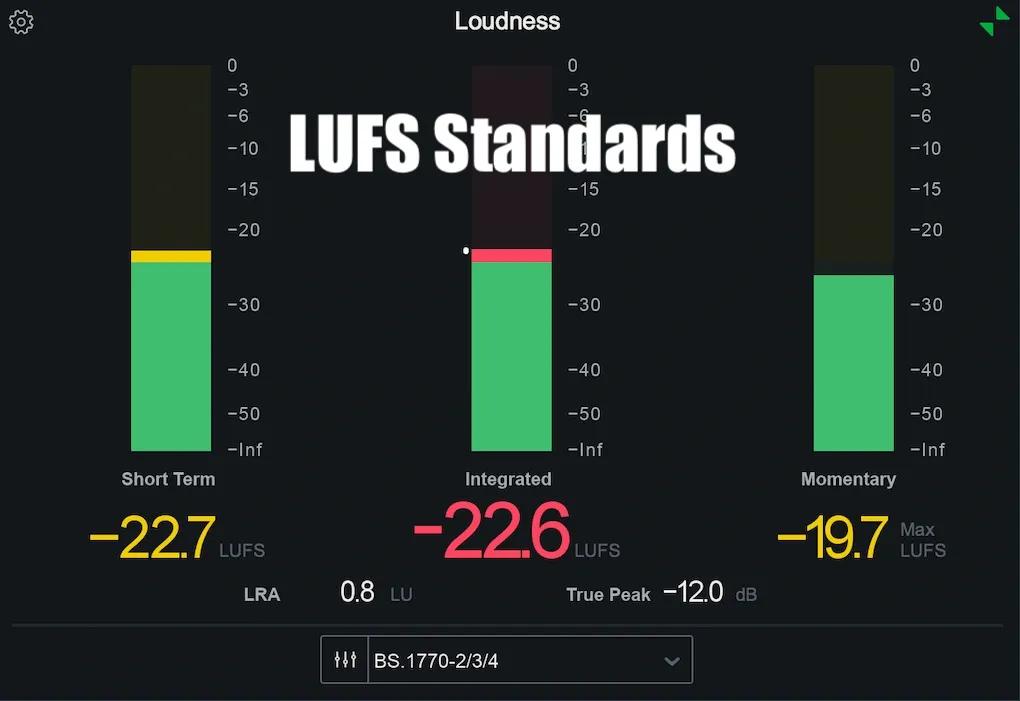
Image Source: Bobby Owsinski’s Music Production Blog
Major streaming platforms enforce specific streaming LUFS levels that affect how your music sounds after upload. Let’s get into the exact standards each platform uses as of 2025.
Spotify: -14 LUFS, -1 dBTP
Spotify adjusts all tracks to -14 LUFS integrated based on the ITU 1770 standard. The normalization process changes depending on your original master:
Louder masters get negative gain to reach -14 LUFS, which turns down your track
Quieter tracks receive positive gain, but only what peak levels allow while keeping 1 dB headroom
Spotify lets users choose their loudness settings: the default -14 LUFS, a quieter -19 LUFS option, and a louder -11 LUFS setting. The louder setting works best when your true peak stays below -2 dBTP to avoid distortion during encoding.
Apple Music: -16 LUFS, -1 dBTP
Apple Music does things differently from other platforms with its -16 LUFS integrated target. Their “Sound Check” feature normalizes tracks to this level and ensures at least -1 dBTP headroom. Apple Music will boost quieter tracks up (within peak limits) and handles both track-level and album-level normalization based on how you listen.
YouTube: -14 LUFS, -2 dBTP
YouTube uses a -14 LUFS integrated standard with normalization always on. YouTube only reduces volumes above this threshold and won’t boost quieter content. Your true peak should stay below -2 dBTP to prevent encoding distortion.
Amazon, Tidal, Deezer, and others
Other platforms follow standards like the major ones:
Amazon Music: -14 LUFS with normalization on by default
Tidal: -14 LUFS with album-based normalization
Deezer: -15 LUFS with required track normalization
Pandora: Uses something like -14 LUFS but doesn’t exactly follow the LUFS standard
These platforms want true peaks below -1 dBTP.
Bandcamp and SoundCloud: special cases
SoundCloud and Bandcamp work differently from other services. SoundCloud started using -14 LUFS normalization as its default setting. Tracks louder than this should keep true peaks below -2 dBTP, while quieter ones need to stay below -1 dBTP.
Bandcamp doesn’t normalize audio at all. The platform streams at 128 kbps MP3, so leaving -2 dBTP of headroom is vital to avoid encoding distortion.
A well-balanced master around -14 LUFS with -1 dBTP true peak is a safe approach that works well on most platforms.
Mastering for Streaming: What Actually Works
Audio producers often obsess over -14 LUFS as the “correct” mastering level. The reality paints a different picture. Success in mastering for streaming platforms depends on your understanding of normalization’s practical aspects.
Why -14 LUFS is not a hard rule
Loudness normalization never aimed to force engineers toward specific levels. In fact, it exists to create consistent listening experiences across tracks. This gives you creative freedom rather than limiting you. Streaming services will adjust your track automatically whether you master to -14 LUFS for dynamic impact or go louder for a denser sound.
The platforms don’t even stick to -14 LUFS consistently. Apple Music uses -16 LUFS, Deezer uses -15 LUFS, and Spotify lets users choose reference levels between -19, -14, and -11 LUFS.
Balancing loudness and dynamics
The sweet spot for experienced engineers usually falls around -9 RMS (approximately -11 LUFS), whatever platform standards say. This level delivers enough sonic energy while keeping essential dynamics. Genre-specific integrated LUFS targets might look like:
Rock/pop: -13 LUFS to -9 LUFS
Hip-hop: -11 LUFS to -7 LUFS
EDM/electronic: -9 LUFS to -6 LUFS
Your tracks should sound their best at the highest possible level before losing impact. A slightly louder master tends to translate better in listening environments of all types while keeping consistent dynamics.
When to use multiple masters
A single master that’s slightly louder than streaming recommendations works perfectly fine for over 90% of releases. Platform-specific masters cost more money without offering matching benefits.
A slightly louder master offers one key advantage: quiet sections stay louder even after normalization compared to a quieter master. To name just one example, a track mastered to -10 LUFS with quiet sections at -13 LUFS will have those quiet sections at -17 LUFS after normalization to -14 LUFS—making them more audible in noisy settings.
How to avoid distortion from encoding
Keep your true peak levels below -1 dBTP to prevent encoding artifacts. Setting ceiling limits to -2 dBTP gives you extra safety margin for very loud masters or low-bitrate platforms like Bandcamp.
Peak levels naturally increase during lossy encoding conversion. Tools like Streaming Preview in RX help you hear how your masters will sound after platform processing. Lossless streaming reduces these concerns, but keeping at least -0.3 dBTP headroom remains a good practice for all delivery formats.
Tools to Measure and Optimize Your Master
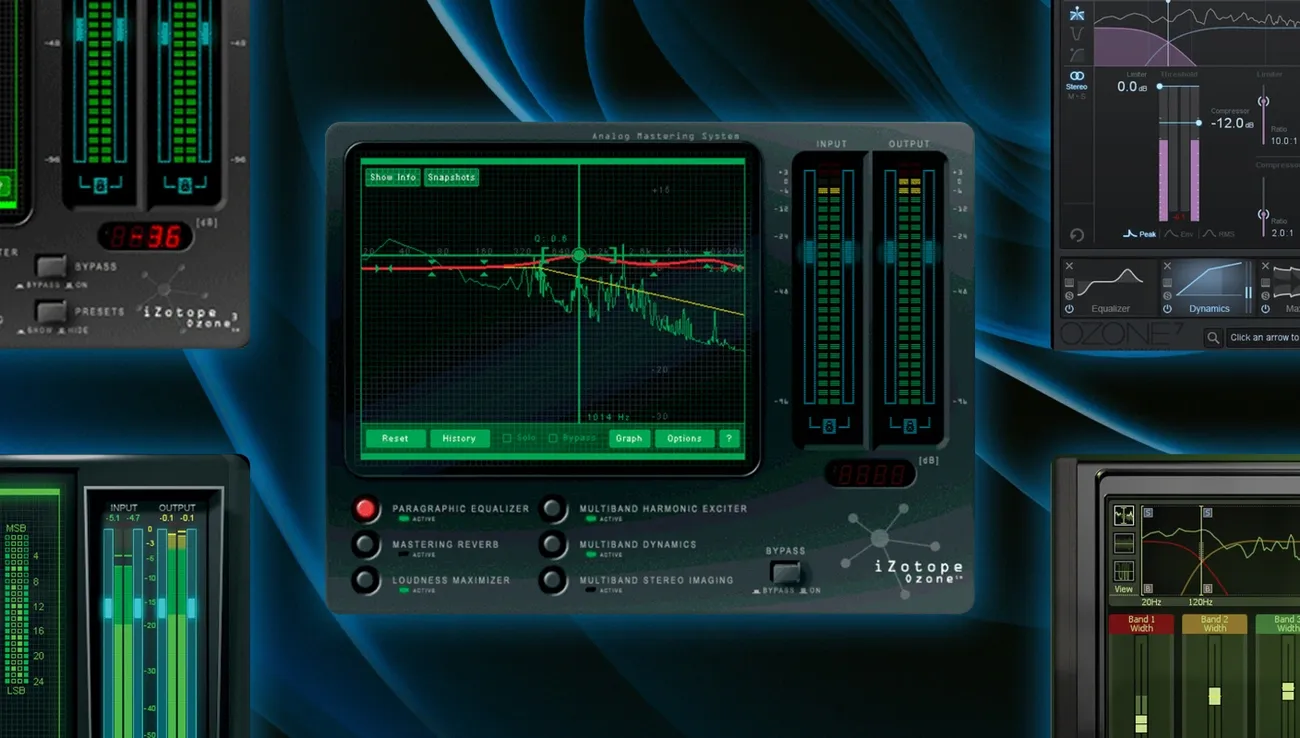
Image Source: iZotope
Modern mastering tools provide precise metering capabilities that simplify music preparation for streaming platforms. You can achieve professional-grade mastering by learning to use these tools properly.
Using Insight, RX, and Ozone
iZotope Insight 2 gives you detailed LUFS monitoring with multiple measurement displays that include Momentary, Short-term, and Integrated LUFS calculations. The plugin includes industry-standard loudness profiles to help your mix meet broadcast requirements. The Ozone’s Maximizer module lets you limit peaks with precision while you monitor the effects on integrated loudness targets.
Streaming preview and codec simulation
Ozone’s Codec Preview helps you hear how your master will sound after encoding to different formats. RX 11’s Streaming Preview goes a step further by simulating the exact loudness normalization that major platforms like Amazon Music, Apple Music, Spotify, Tidal, and YouTube apply. You can render files with platform-specific processing to spot potential issues before release.
Loudness Optimize module in RX 11
RX 11’s Loudness Optimize module shows visual and numerical summaries of your file’s loudness characteristics. The intelligent analysis automatically finds optimal settings for upward compression and raises quieter sections without changing louder passages. This helps address the “weighted gate” issue in BS.1770 calculations that affects how streaming platforms process your music.
Waveform statistics and LUFS meters
RX’s Waveform Statistics window delivers detailed level information for your entire recording or selected section quickly. Other options like Youlean Loudness Meter give you dynamic range metering along with accurate LUFS measurements. These tools help you identify your audio’s true perceived loudness while keeping it below recommended true peak thresholds.
Conclusion
I’ve tested countless masters on major platforms, and I can say with certainty that fixating on exact LUFS targets misses the point. Normalization makes listening consistent for users – it’s not meant to limit your creative choices as a producer or engineer. There’s no such thing as a perfect LUFS level. Your focus should be on making your music sound its best.
Most mastering engineers, including myself, still aim for -11 to -9 LUFS in commercial releases, even though platform standards sit around -14 LUFS. This louder approach will give your music better translation in a variety of listening environments while keeping good dynamic range. Platforms will reduce volume on louder masters anyway, but the quieter parts stay more audible than they would in a -14 LUFS master.
True peak management is more critical than hitting specific LUFS targets. Your ceiling should stay below -1 dBTP (or -2 dBTP for dense mixes) to avoid distortion during lossy encoding. This headroom protects your sound whatever platform people use to stream your music.
The tools mentioned in this piece make it easy to target appropriate loudness levels. Instead of chasing numbers, use them to understand how your master performs across platforms. LUFS meters, codec previews, and platform simulators help you spot potential problems before release without limiting your creative decisions.
Let’s not forget why we master music – to make it sound incredible no matter where it’s played. Streaming platforms have put an end to the loudness wars, so we can focus on musical effect rather than pure volume. Trust your ears, treat LUFS as a guide not a rule, and create masters that sound exceptional at the highest level they can handle without losing impact.