The quest to find the right mastering plugins can feel endless when you’re chasing audio perfection. Your final sound depends heavily on the tools you choose, whether you’re getting a track ready for streaming or finishing a professional release.
Mastering lets us shape significant elements like tone through EQ, dynamics with compression. We can add subtle saturation to warm things up. Engineers achieve better results quickly with the best mastering plugins. But finding plugins that match your style takes time and experimentation with many options out there. Top mastering plugins in 2025 give you amazing quality and flexibility. You’ll find versatile tools like FabFilter Pro-L 2 with its eight distinct limiting algorithms and complete solutions like iZotope Ozone that combine compressors, EQs, and stereo effects in one package.
I’ll share the 13 best mastering plugins that professional studios actually use in this piece – no fluff, just honest recommendations based on ground application and performance.
Best Limiter: FabFilter Pro-L 2
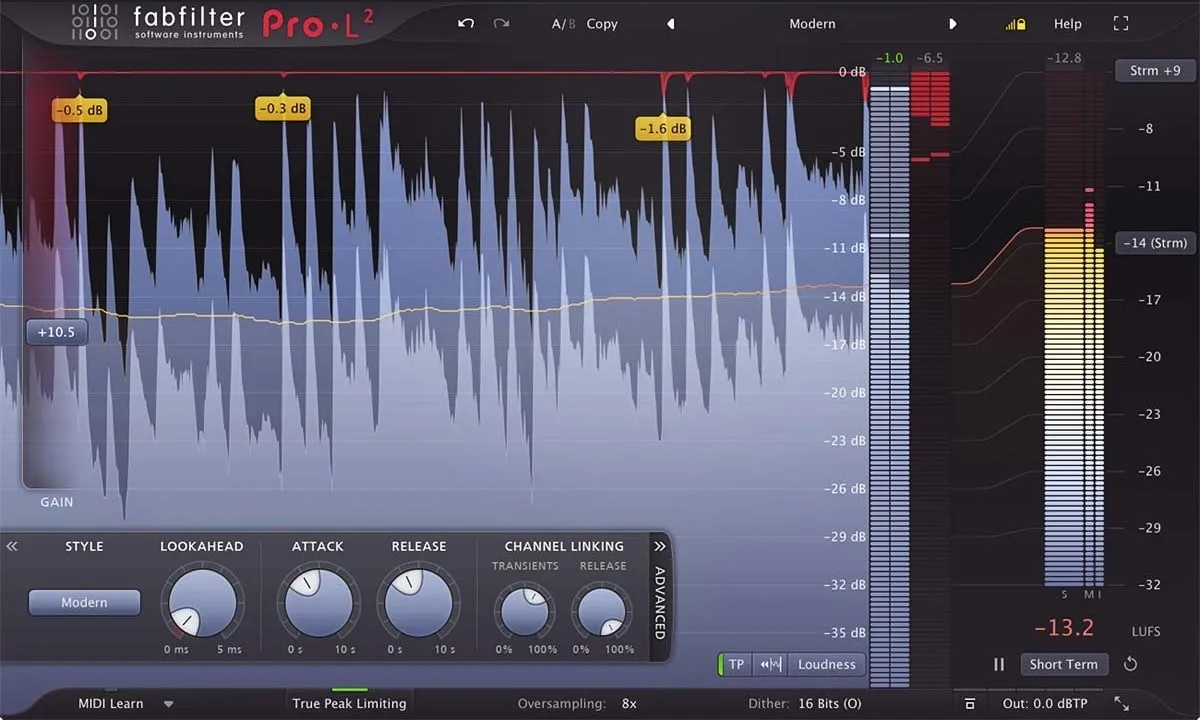
Image Source: FabFilter
A true peak limiter is the foundation of modern mastering. FabFilter Pro-L 2 has become the gold standard in professional studios worldwide. This powerful plugin lets you achieve maximum loudness with exceptional transparency in any mastering situation.
What FabFilter Pro-L 2 Does
FabFilter Pro-L 2 is a complete true peak limiter that keeps your audio from going above a specified output level. This mastering plugin combines true peak limiting with extensive loudness metering based on ITU-R BS.1770-4 and EBU R128 standards. The plugin uses up to 32x linear-phase oversampling to minimize aliasing and inter-sample peaks. Its easy-to-use level display shows input, output, and gain reduction levels, which makes the limiting process precise.
Why FabFilter Pro-L 2 Stands Out
Pro-L 2 is a big deal as it means that it has eight sophisticated limiting algorithms. Each algorithm has distinct characteristics for different audio material. The Modern algorithm works as the “best for all” default. The Aggressive algorithm shines with EDM and rock music. The Bus algorithm gives excellent results for individual tracks. The Safe algorithm focuses on distortion-free output instead of maximum loudness.
The plugin comes with unique workflow improvements. Unity Gain keeps listening levels consistent while you adjust settings. Audition Limiting lets you hear only what the limiter affects. The true peak limiting ensures your masters meet platform requirements without distortion during conversion.
FabFilter Pro-L 2 Pricing
You can get FabFilter Pro-L 2 for $199 (regularly $249). The price reflects the plugin’s versatility and professional-grade features. Users upgrading from Pro-L version 1 will keep their previous version, which helps with older projects.
Best Use Case for FabFilter Pro-L 2
Pro-L 2 works best in demanding mastering situations where you need both transparency and loudness. Start with a genre-based preset, then fine-tune advanced settings if needed. The plugin helps you master for multiple delivery formats. Its true peak limiting and complete loudness metering make it easy to meet requirements for streaming services and traditional media. The Modern algorithm handles general mastering tasks well. You can switch algorithms and adjust advanced parameters for specific genre needs.
Best Mastering Suite: iZotope Ozone 11
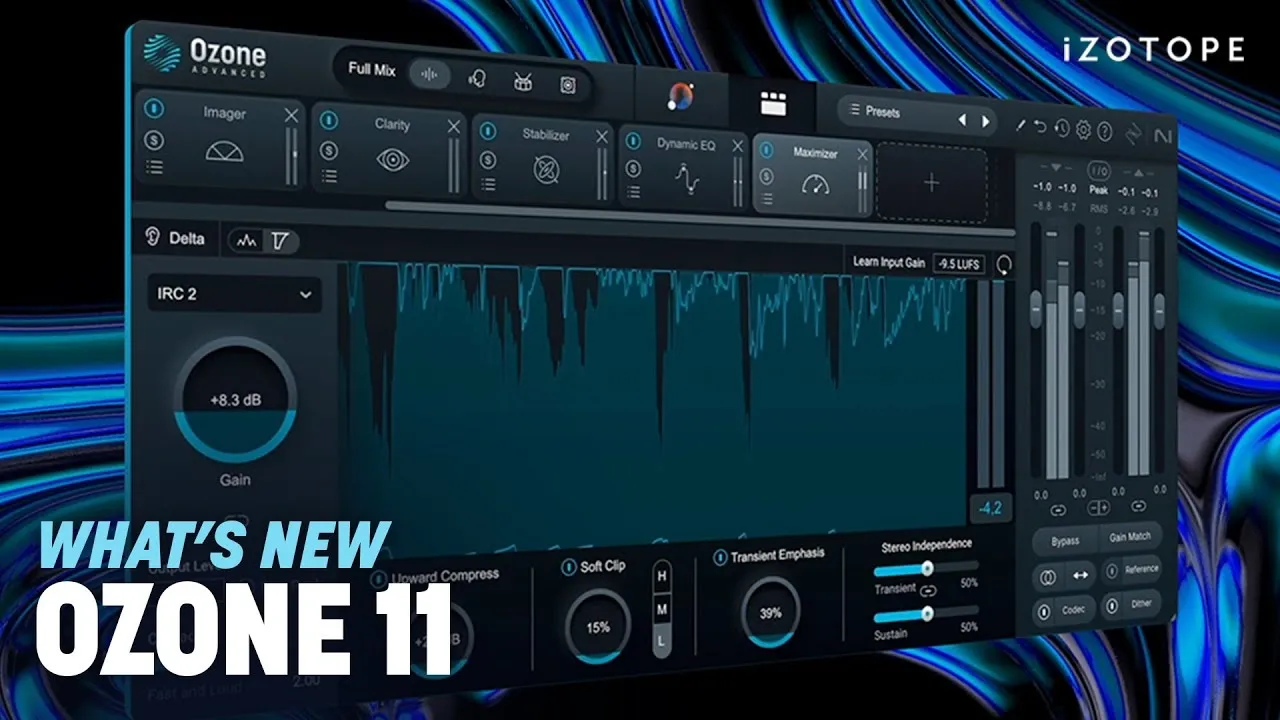
Image Source: iZotope
Engineers looking for a complete mastering solution will find iZotope Ozone 11 a perfect fit. This software combines AI assistance with professional-grade processing modules to make the mastering process smooth and efficient.
What Ozone 11 Does
iZotope Ozone 11 packs 20 professional plugins into one complete mastering suite. Users can create polished masters either by building processing chains from scratch or by letting the AI-powered Master Assistant create custom starting points. The suite has all the essential mastering tools – EQ, dynamics processing, stereo imaging, and specialized modules like Clarity, Stem Focus, and Transient/Sustain control. It also lets you compare your masters with commercial tracks and match their tonal characteristics precisely.
Why Ozone 11 Stands Out
Ozone 11’s magic lies in how it balances smart automation with hands-on control. The latest Master Assistant studies your audio and creates custom presets that match the tone, dynamics, and width of top-charting references. You get complete control over every parameter while having smart starting points – something simpler tools don’t offer.
Some standout features make this suite special:
Clarity Module: Makes spectral power adapt without sounding harsh
Stem Focus: Lets you process isolated elements in mixed files
Transient/Sustain Mode: Makes attack and sustain portions sound better separately
Upward Compress: Makes quiet sections louder while keeping transients intact
The suite’s hidden gems include a powerful Undo History, detection filtering, and IRC (Intelligent Release Control) technology that give you amazing control over mastering.
Ozone 11 Pricing
You can choose from three tiers of Ozone 11:
Ozone 11 Elements: $55
Ozone 11 Standard: $219
Ozone 11 Advanced: $499
Each tier adds more features, with Advanced giving you access to all 20 tools, including the Clarity module and Stem Focus.
Best Use Case for Ozone 11
Producers and engineers who master multiple projects in different genres will love Ozone 11. The software really shines with tricky mixes that need special processing. It breathes new life into over-compressed material through techniques like multiband upward expansion. Professional studios with tight deadlines save time by using Ozone’s reference matching to create custom starting points without compromising quality.
Best Harmonic Enhancer: Sonnox Oxford Inflator
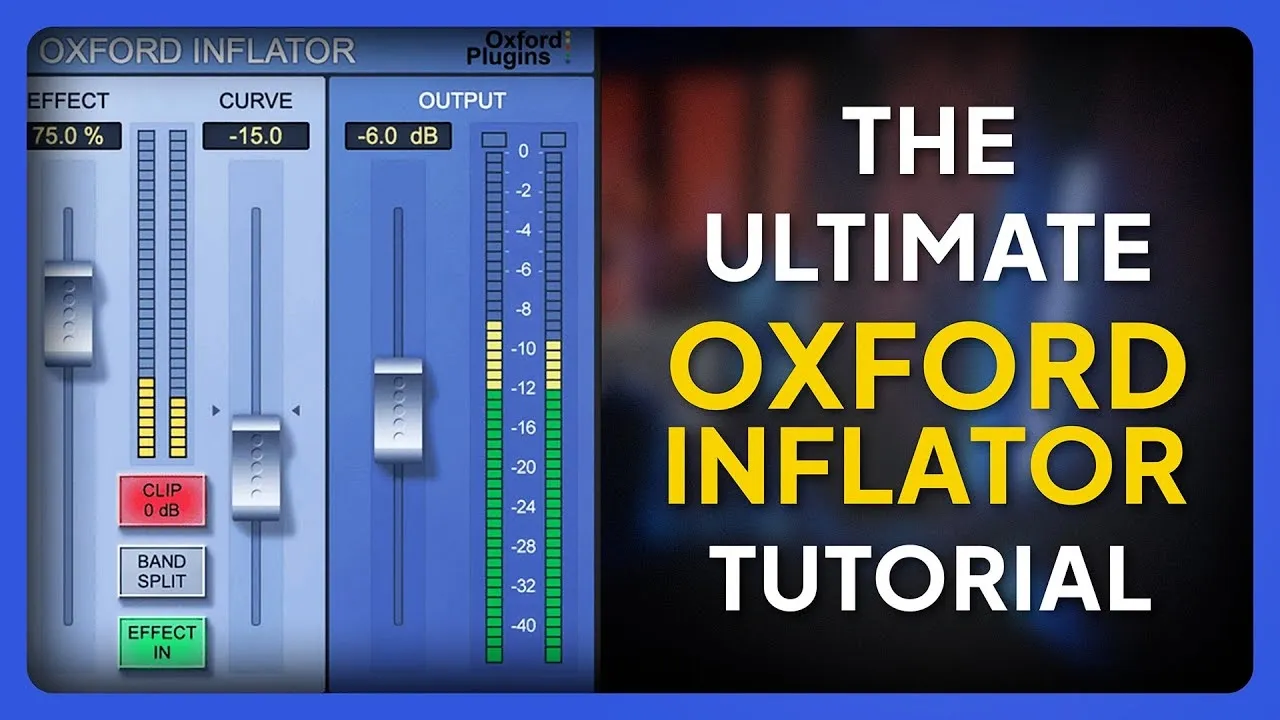
Image Source: Sonnox
The Sonnox Oxford Inflator remains one of the audio industry’s best-kept secrets. Many mastering engineers call it their secret weapon to get extra punch and presence without losing dynamics.
What Oxford Inflator Does
The Oxford Inflator serves as a specialized harmonic enhancement and loudness tool that makes audio sound louder without compression’s usual downsides. Rather than responding to audio like standard processors, it uses a static process to create controlled harmonic distortion that boosts your signal’s density. This clever approach makes audio seem louder by recreating the natural cues our ears link to “loud” or “stressed” sounds. The plugin adds a warm, tube-like quality while keeping the sharp attacks and fine details that normal processing would destroy.
Why Oxford Inflator Stands Out
The Oxford Inflator makes your tracks sound bigger and more energetic, unlike regular processors that can flatten your sound. Its special algorithm boosts perceived loudness without crushing dynamics or adding unwanted distortion. Professional engineers love it because it:
Keeps emotional impact while making things sound louder
Adds warmth and presence like expensive analog gear
Works great on both full mixes and single tracks
Has two modes (Direct and Band-split) to target specific areas
This plugin breathes new life into sounds that EQ and compression alone can’t fix. It helps when vocals need punch, mix busses sound thin, or tracks need extra excitement.
Oxford Inflator Pricing
Sonnox sells the Oxford Inflator at €40.66 – a huge 76% discount from its normal price of €169.79 until December 1st, 2025. Your license lets you use it on two computers through an iLok account.
Best Use Case for Oxford Inflator
The Oxford Inflator works best when placed right before your final limiter in the mastering chain. Most engineers get great results by setting the Effect control to 100% and leaving the Curve at its middle position (0). The plugin shines on vocals too – put it just before your de-esser to get bright, clear vocals without any harshness.
Engineers find this plugin perfect to add final polish to masters that need more life. Many run it at 100% effect and carefully adjust input levels to get the right amount of harmonic enhancement without overdoing it.
Best Analog EQ: UAD Manley Massive Passive
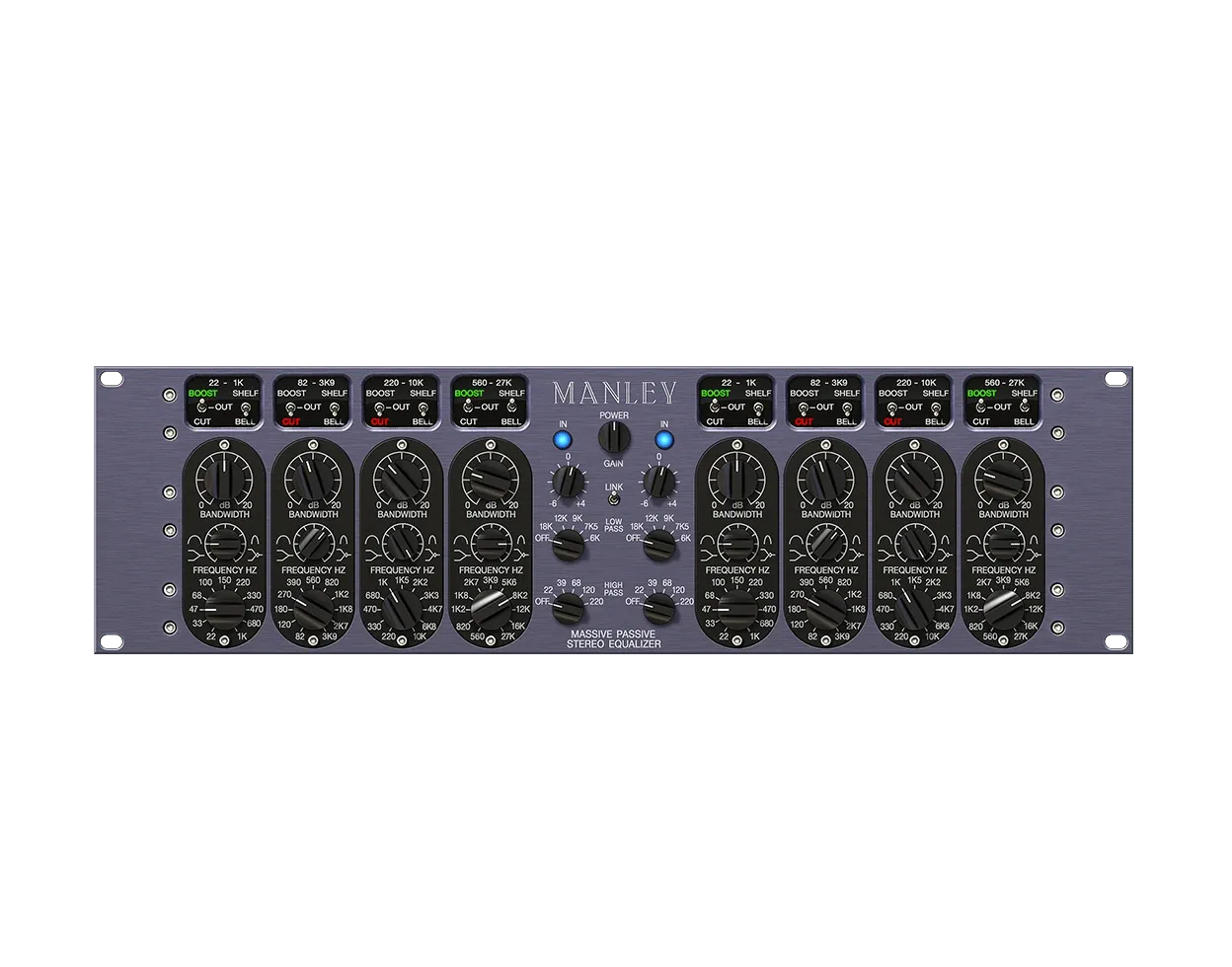
Image Source: Universal Audio
The legendary Manley Massive Passive represents the gold standard of analog EQ copy in the digital world. Universal Audio’s careful modeling brings tube warmth and a unique musicality to mastering projects.
What Manley Massive Passive Does
This two-channel, four-band tube equalizer blends design elements from classic console, parametric, graphic, and Pultec EQs. The passive EQ uses metal film resistors, film capacitors, and hand-wound inductors to shape tone naturally. Each channel packs four fully parametric bands plus high-pass and low-pass filters that give you amazing control over frequency sculpting. You’ll find two distinct versions in the plugin—a standard one with smooth bandwidth adjustment and a mastering version with 16 stepped controls for exact recall. This setup lets you handle both creative sound design and precise mastering work with one tool.
Why Manley Massive Passive Stands Out
The Massive Passive creates natural, organic acoustic tone through its parallel band setup. The bands work together musically—unlike typical EQs where bands work in isolation. The proportional-Q behavior automatically tweaks bandwidth based on how much you boost or cut. You get wider curves for gentle tweaks and narrower ones for bold changes. The copied tube amp stages add character that lets you boost high frequencies without harshness and beef up the low end without mud. Many engineers still say UAD’s 13-year-old code beats newer modeling attempts.
Manley Massive Passive Pricing
UAD sells the Manley Massive Passive EQ plugin for $149 right now [link_2], down by a lot from its usual $299 price tag. This price brings great value since you get both standard and mastering versions. The plugin works with UAD Native (runs on your computer without extra hardware), Apollo Realtime, and UAD-2 hardware platforms.
Best Use Case for Manley Massive Passive
The Massive Passive shines when you need subtle tone shaping or bold frequency changes without harshness. Its smooth curves and headroom make it perfect for:
Adding sparkle to drums and vocals naturally
Giving mixes weight with clear, punchy bass
Making subtle yet musical tone adjustments during mastering
The plugin works best before your final limiter in the mastering chain. It needs some CPU power, but engineers notice better sound quality with higher sample rates like 384kHz—something many UAD plugins can’t do. The Massive Passive delivers that expensive analog sound that digital EQs often miss.
Best Adaptive Limiter: Newfangled Audio Elevate
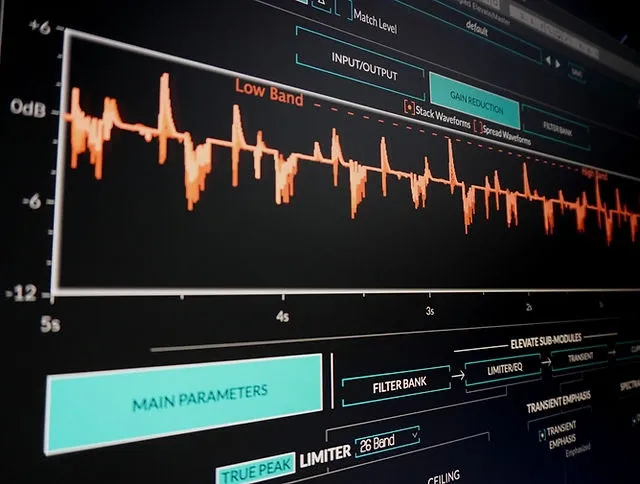
Image Source: Newfangled Audio
Newfangled Audio’s Elevate sets a new standard for mastering plugins. This adaptive limiter uses smart processing across multiple frequency bands to maximize loudness while keeping musical dynamics intact.
What Elevate Does
The plugin works as a sophisticated multiband limiter that processes audio through 26 critical frequency bands modeled after the human ear. Unlike standard limiters, Elevate uses adaptive algorithms to adjust gain, speed, and transients for each band as you work. This smart approach helps the plugin boost perceived loudness while enhancing dynamic range. The plugin also has a spectral clipper that drives output aggressively without messing up the tonal balance. The system adapts attack, release, and look-ahead settings across frequency bands automatically to reduce pumping artifacts and distortion.
Why Elevate Stands Out
The main difference lies in Elevate’s limiting approach based on psychoacoustic principles. The auditory filter bank splits audio into frequency bands that match human hearing sensitivity. You can control how sound hits the eardrum with incredible precision. Machine learning algorithms optimize the gain curve in each band compared to others, which prevents unwanted artifacts.
Key features that make Elevate unique among mastering plugins:
Adaptive multiband technology that keeps transients clear even with heavy limiting
You can solo individual frequency bands for targeted processing
Auto Output Level feature lets you make accurate gain-matched comparisons
Six different metering types give you detailed signal monitoring
Elevate Pricing
You can buy Elevate as a standalone plugin from Newfangled Audio for USD 199.00. The Elevate Mastering Bundle costs the same and includes the Elevate limiter plus Saturate spectral clipper, EQuivocate human-ear EQ, and Punctuate intelligent transient designer. Sales often bring the bundle price down to USD 99.00 or USD 49.00.
Best Use Case for Elevate
The plugin shines in final-stage mastering where you need maximum loudness without losing sonic clarity. Professional users report excellent results when mastering at high sample rates (96kHz), making it perfect for high-resolution audio projects. Electronic music producers love Elevate’s transient manipulation capabilities. The best results come from using fewer bands (3-12) for specific genres. Electronic dance music works great with the 12-band setup. The plugin’s latency (approximately 5500 samples) makes it better suited for mastering than real-time mixing.
Best Dynamic EQ: Oeksound Soothe2
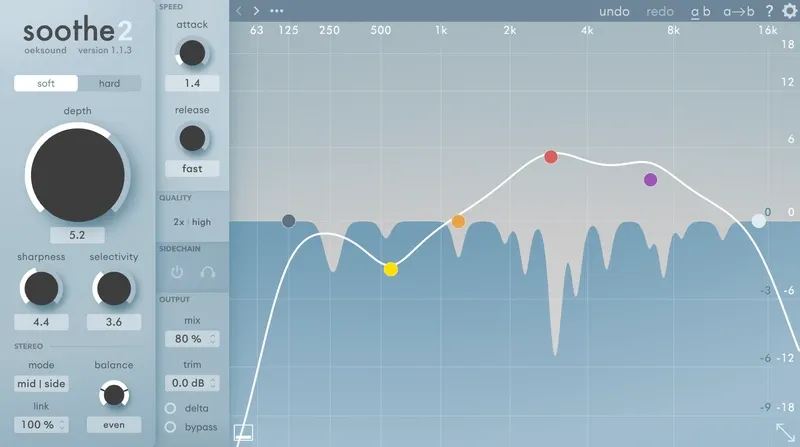
Image Source: oeksound.com
Oeksound’s Soothe2 has become the go-to dynamic EQ for mastering engineers who want to eliminate problematic resonances while keeping the audio’s natural character intact.
What Soothe2 Does
Soothe2 works as a dynamic resonance suppressor that spots problematic frequencies and reduces them live. Unlike regular equalizers, Soothe2 kicks in only when needed and where needed. This keeps nearby frequency areas untouched and preserves the original sound’s timbre. The tool comes with two modes – Soft mode gives you cleaner processing and better transient preservation, while Hard mode packs more punch with level-dependent processing for sounds with obvious resonances. The plugin’s key controls include Depth (sets processing intensity), Sharpness (controls how deep and narrow the cuts are), and Selectivity (chooses between specific frequencies or broader areas). On top of that, it works across the full frequency range from 20Hz to 16kHz, handles mid/side processing, and accepts external sidechain input for advanced uses.
Why Soothe2 Stands Out
Soothe2 shines because it makes surgical frequency adjustments without the hassle of manual notching. The smart algorithm constantly analyzes incoming audio and decides where reduction is needed. The visual feedback shows you exactly which frequencies are being cut and by how much, so you can make better decisions. You can use the Delta monitoring feature to solo just the reduced resonances, which helps you hear exactly what’s being taken out. Soothe2 beats other dynamic EQs and multiband compressors with its spectral processing approach.
Soothe2 Pricing
You can buy Soothe2 for $199 with a perpetual license. Musicians can also get the plugin through a Rent-to-Own plan over 18 payments, which turns into a perpetual license. You’ll need an iLok account to license the software, but the physical iLok dongle is optional. The company lets you try the plugin free for 20 days with all features unlocked.
Best Use Case for Soothe2
Soothe2 really shines when you need to fix resonance problems without changing the overall sound. Mastering engineers love it for fixing recordings from budget mics and interfaces without spending hours on surgical EQ. Light settings work best for mastering – stick to 0.5-1dB reduction to avoid messing with transients. The plugin handles everything from vocal sibilance and harsh guitar cabinets to boomy bass notes. You can even process full drum busses while keeping things crystal clear.
Best Mastering Compressor: Tone Projects Unisum
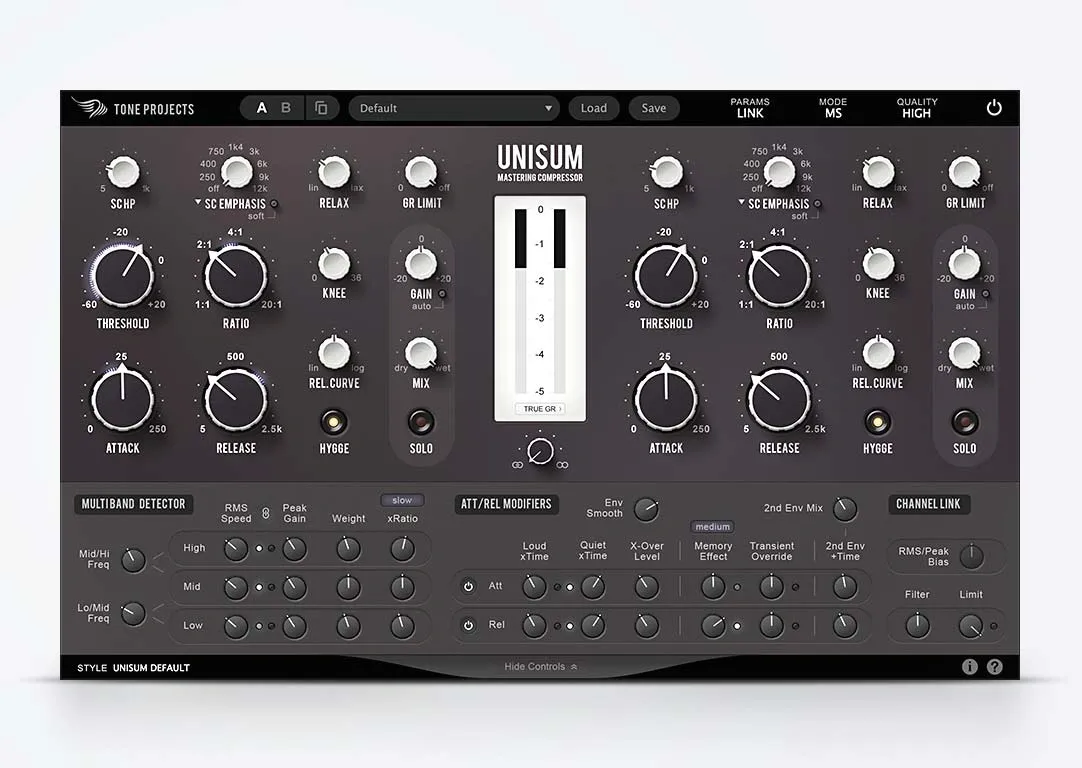
Image Source: Tone Projects
Years of precise engineering went into developing Tone Projects Unisum, which now stands as the gold standard for digital mastering compression with exceptional flexibility and pristine sound quality.
What Unisum Does
Unisum works as a wideband mastering compressor powered by a flexible multi-band detector system, which delivers “multi-band without multi-band” processing. The plugin was created for mastering applications and combines clean wideband compression with a sophisticated detector scheme that splits the audio spectrum into three frequency bands. Each band has adjustable RMS and Peak detectors that let you control how the compressor responds to different frequency ranges. The plugin includes traditional threshold and ratio controls, and it also features variable knee, GR limit, and release curve parameters that users can adjust between linear and logarithmic.
Why Unisum Stands Out
Unisum’s main strength lies in its unprecedented control over compression characteristics. Mastering engineer Bob Katz describes it as “the most analog sounding of all my digital compressors”. The unique Hygge circuit adds tube and transformer-inspired warmth when activated. The attack/release modifiers section gives you precise control over the compressor’s behavior at different compression intensities. Users can adjust channel linking from 0-100% for stereo or mid-side operation, making it highly versatile for fixing unbalanced mixes.
Unisum Pricing
The plugin costs $119](https://www.toneprojects.com/unisum-mastering-compressor.html), down from its regular price of $199 until December 1, 2025. It supports VST3, AU, and AAX formats for both Mac and Windows.
Best Use Case for Unisum
Unisum shines where traditional compressors struggle—situations that need both transparency and character. The plugin adds cohesive “glue” to mixes while preserving their natural dynamics. Grammy-winning engineer Michael Brauer uses it “to get a warmer or punchier feel, or to glue the track more together”. The plugin’s flexibility helps users shape compression for specific genres, and its presets from experienced mastering engineers provide excellent starting points.
Best Maximizer: Weiss Maximizer
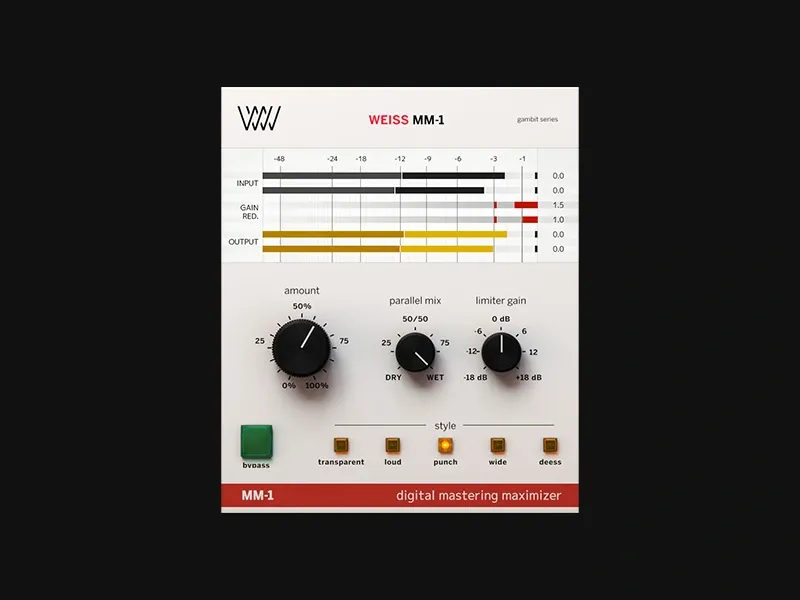
Image Source: Softube
Known for its crystal-clear transparency and easy use, the Weiss Maximizer has become the go-to tool for mastering engineers who want professional results without endless tweaking.
What Weiss Maximizer Does
The Softube Weiss MM-1 Mastering Maximizer works as a sophisticated maximizer based on the legendary Weiss DS1-MK3 hardware unit. This elegant package combines compression and brick-wall limiting and offers five distinct processing styles:
Transparent: Less invasive processing that preserves original dynamics
Loud: Designed specifically for high RMS masters
Punch: Adds weight and effect to your masters
Wide: Creates a more three-dimensional sound using MS processing
Deess: Provides mastering-grade de-essing
The accessible interface has an intelligent Amount knob that controls processing intensity and a Limiter Gain control to achieve desired loudness.
Why Weiss Maximizer Stands Out
The Weiss Maximizer’s main difference comes from its 1:1 code-porting of the original DS1-MK3 algorithms. This precise translation will give a genuine Weiss sound quality instead of mere emulation. The clean limiting lets you push gain harder than competitors without distortion. The Parallel Mix knob lets you blend processed and original signals to get more transparency and control.
Weiss Maximizer Pricing
You can get it now for $55.00, which is by a lot less than its regular $199.00 price (72% off until December 7, 2025).
Best Use Case for Weiss Maximizer
The Weiss Maximizer works best as a final-stage processor in your mastering chain. We recommend selecting an appropriate style, adjusting the Amount knob while watching the gain reduction meter, then increasing Limiter Gain to reach desired loudness. You can chain multiple instances to combine effects (like Punch followed by Wide), but only the final instance should increase volume. Most engineers aim for -14dB LUFS on streaming platforms and keep true peaks below -1dB.
Best Stereo EQ: Dangerous Bax EQ
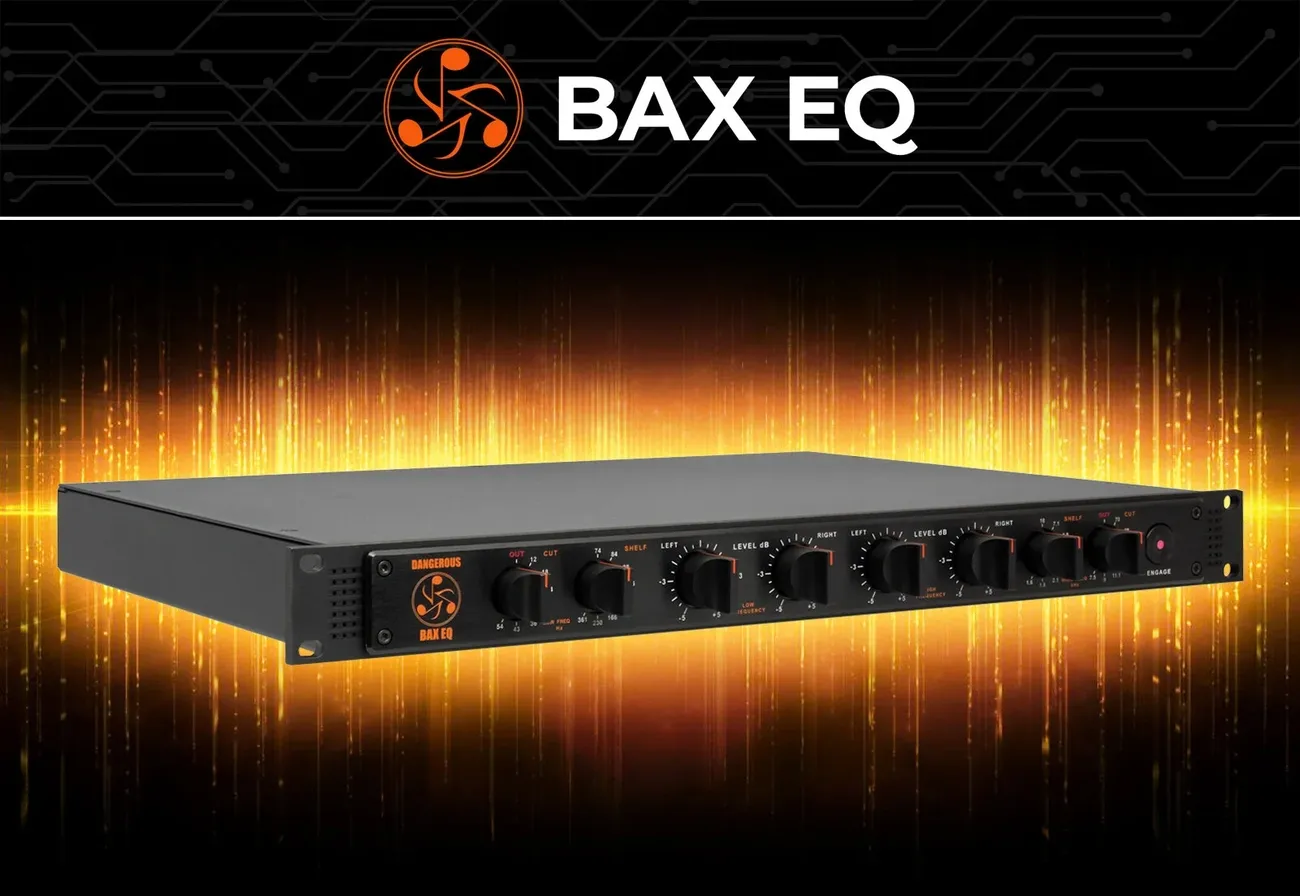
Image Source: Dangerous Music®
The Dangerous Bax EQ draws from its heritage in legendary tone controls found in high-end stereo systems. This professional-grade equipment refines classic bass and treble adjustments that mastering engineers rely on for natural tonal improvements.
What Dangerous Bax EQ Does
The Dangerous Bax EQ works as a stereo equalizer that uses the famous Baxandall EQ curves Peter Baxandall designed in the 1950s. It uses broad Q-shelving to create gentle, sweeping curves that affect wide sections of the frequency spectrum, unlike typical shelving EQs. The unit goes beyond simple tone shaping with its 7-position phase-coherent high-pass and low-pass filters mounted on relays and 8-position high and low-frequency selectors. Users can make precise adjustments with 5dB of cut and boost in 1/2dB increments, ensuring exceptional repeatability.
Why Dangerous Bax EQ Stands Out
The Bax EQ distinguishes itself through its phase coherence. Most professional EQs create phase delay and audible artifacts, but the Bax EQ maintains phase integrity even during major adjustments. In fact, this unique design delivers remarkably sweet and open treble with powerful three-dimensional low-end that other equalizers can’t match. The sophisticated filtering options help eliminate headroom-consuming infrasonic content below 12Hz and problematic ultra-sonics above 70kHz.
Dangerous Bax EQ Pricing
At $2,999, the Dangerous Bax EQ is a major investment for professional mastering studios.
Best Use Case for Dangerous Bax EQ
The Bax EQ shines in mastering scenarios where gentle yet profound tonal improvements are needed. Engineers often keep it permanently patched into their signal path. It’s a great way to get foot-like low end without muddiness and create clear, crystalized high frequencies without harshness or sibilance. The unit’s ability to boost rather than alter original sonic characteristics makes it essential for mastering engineers who need transparent yet musical frequency control.
Best Tone Shaper: Gullfoss Master
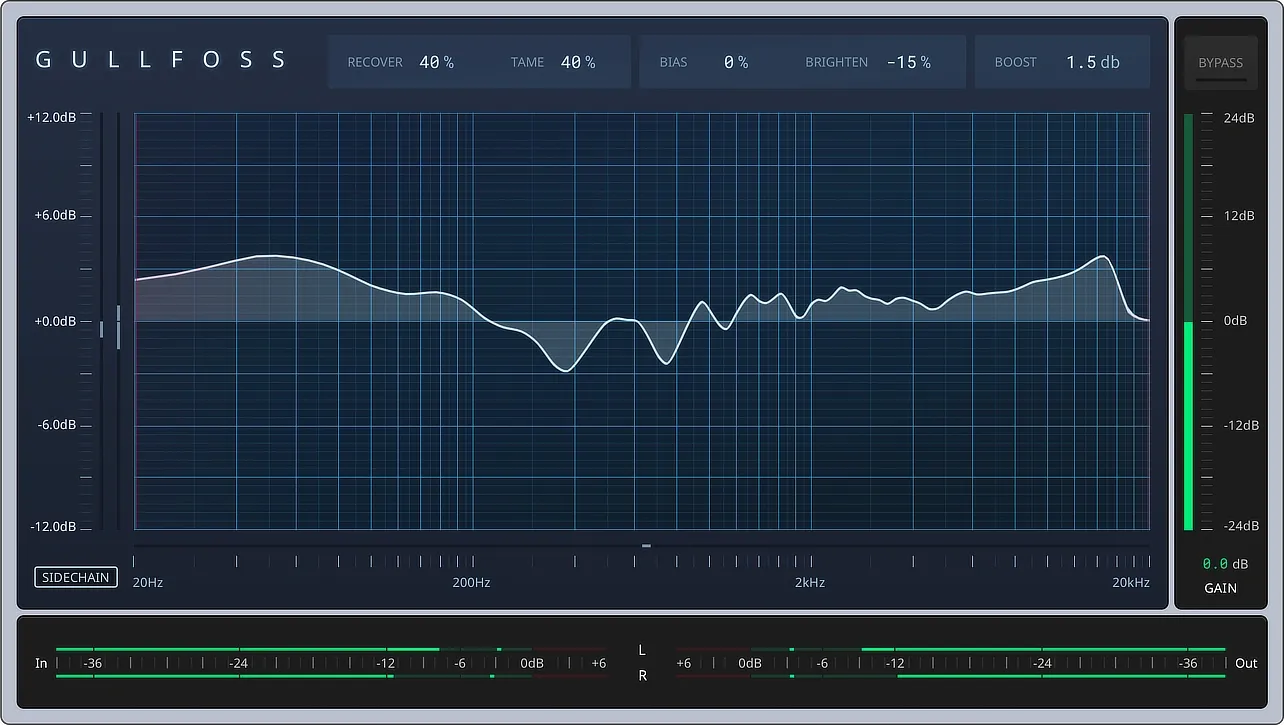
Image Source: Soundtheory
Soundtheory’s Gullfoss Master is a powerful tone-shaping tool that masters will love. This plugin uses advanced mathematical modeling of human hearing to improve clarity without losing quality.
What Gullfoss Master Does
This intelligent equalizer analyzes audio and adjusts frequency response over 300 times per second. The plugin uses a computational model of how we hear sound to help listeners get the most information from the audio. Unlike regular EQs, Gullfoss has two main controls—Recover brings out details hidden by louder elements, while Tame reduces overpowering frequencies that mask other content. The Master version lets you make precise adjustments down to decimal points. You also get stereo sidechain capability, so individual stems can be shaped based on the full mix analysis.
Why Gullfoss Master Stands Out
The Master version is the third and most refined member of the Gullfoss family. It’s built specifically for mastering engineers who need precise control. The plugin features an enhanced auditory model that’s fine-tuned for mastering work. The internal processing runs at maximum quality, and this is a big deal as it means that the noise floor is much lower. The Master version also gives you more precise parameter control than other versions, making it perfect for detailed tone-shaping.
Gullfoss Master Pricing
The plugin costs $199, but you can often find it at 30% off with promo codes. Current Gullfoss owners get the Master edition at no extra cost.
Best Use Case for Gullfoss Master
Professional mixes that need subtle improvements are where Gullfoss Master shines. Small adjustments work best—stick to low single-digit values (1-3%) for both Recover and Tame. The plugin works great on mid-range frequencies during mastering sessions, and sometimes you’ll want to filter high frequencies to avoid too much brightness. Strong settings can cause listening fatigue, so use them only if needed.
Best Analog Compressor: Shadow Hills Mastering Compressor
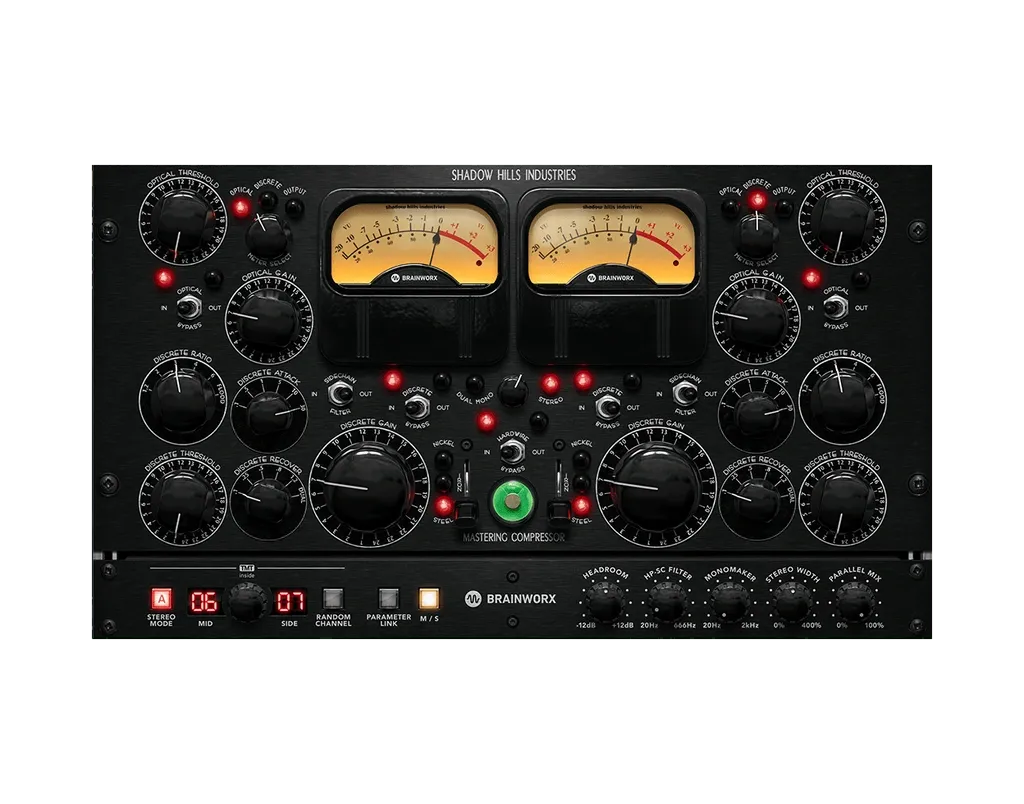
Image Source: Universal Audio
The Shadow Hills Mastering Compressor stands out with its unique sonic character and distinctive looks. This remarkable tool has become a favorite among mastering professionals worldwide thanks to its hybrid compression design.
What Shadow Hills Compressor Does
This powerhouse combines two parallel compression stages – a program-dependent optical compressor similar to audio levelers from the late ’60s and an aggressive, ultra-fast discrete VCA compressor. Users get exceptional dynamic control and signal integrity through this dual-stage system. The unit offers three different compression methods since each section can be hardwire-bypassed independently. A built-in sidechain filter keeps frequencies under 90Hz from triggering compression, which results in tighter mixes.
Why Shadow Hills Compressor Stands Out
Three switchable output transformers make this compressor truly special by adding distinct sonic characters. The nickel transformer creates natural lows with boosted highs – perfect for acoustic recordings. The iron transformer delivers natural highs with a subtle 110Hz boost and passes only even-ordered harmonic distortion. The steel transformer produces an open, detailed sound with gentle 40Hz reinforcement. The UAD plugin version adds Brainworx’s TMT technology for subtle channel variations and includes Mid/Side processing and Parallel Mix features.
Shadow Hills Compressor Pricing
New customers can get the Shadow Hills Mastering Compressor Class A plugin for $169. Existing owners pay an upgrade price of $39.
Best Use Case for Shadow Hills Compressor
Master bus processing is where this compressor shines, especially when using VCA compression with slow attack and fast release. The unit performs best with the ratio in “flood” position and fairly fast attack times. Great results come from lowering the digital gain of source material while the optical section catches peaks.
Best Clipper: StandardCLIP
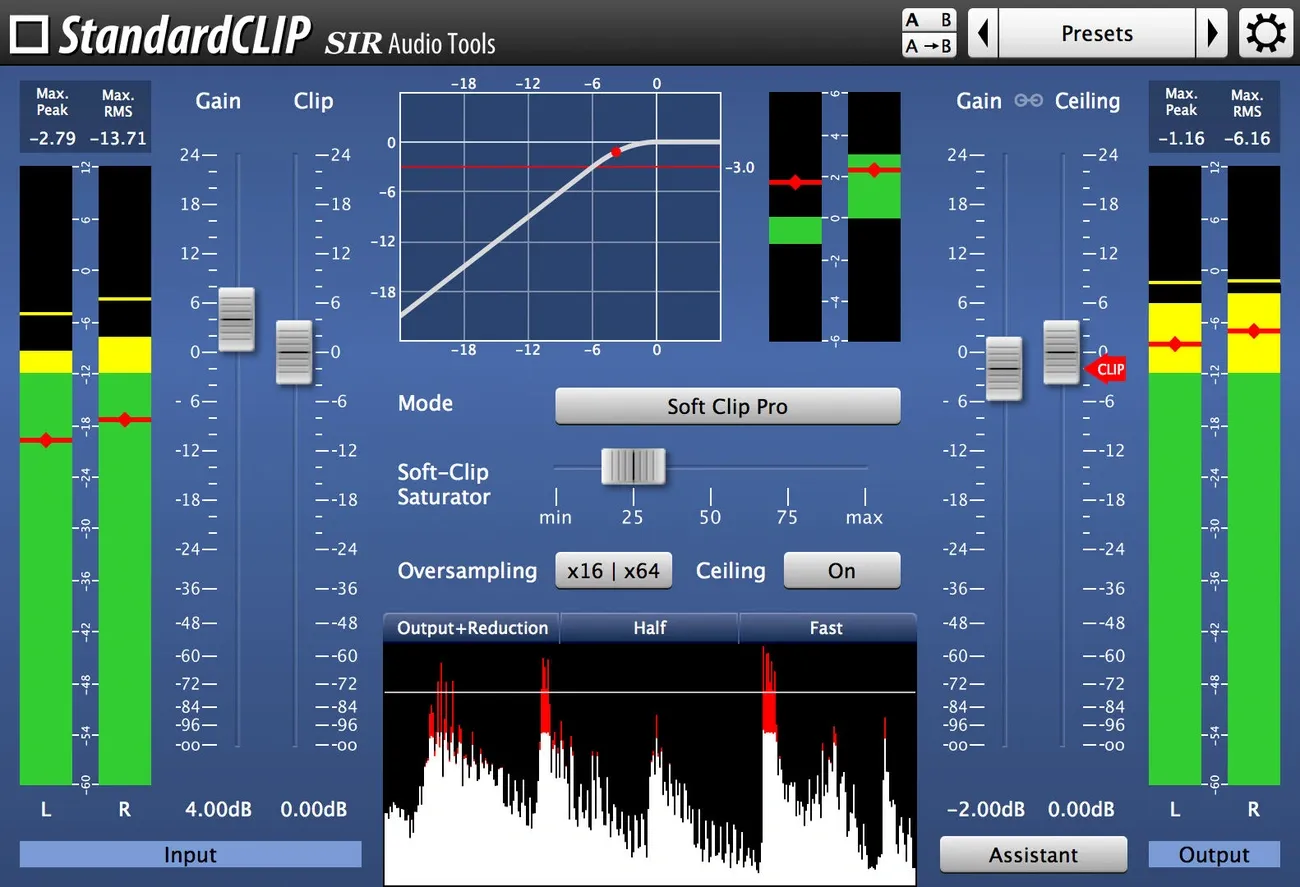
Image Source: SIR Audio Tools
Professional mastering studios consider StandardCLIP by SIR Audio Tools a legendary weapon. This powerful tool changes mixes with precision waveform control while maintaining sonic integrity.
What StandardCLIP Does
StandardCLIP works as an advanced clipping processor with two main purposes. It can increase the apparent volume or add harmonic saturation to audio signals. The plugin comes with exceptional oversampling that reaches up to 256x factor and eliminates unwanted aliasing artifacts. Users can choose from three distinct clipping algorithms. Soft Clip Classic changes the signal through the entire dynamic range. Soft Clip Pro keeps dynamics intact below a visible threshold line. Hard Clip simply cuts off peaks without saturation. The tool shows detailed visual feedback through adjustable function plots (logarithmic or linear) and RMS/peak difference metering.
Why StandardCLIP Stands Out
StandardCLIP’s reputation comes from its remarkable transparency even under heavy processing. Users can reduce up to 8dB from transient-heavy material without hearing any distortion. The complete filter options let users switch between minimum-phase mode (zero latency) and linear-phase processing (preserves phase relationships). This flexibility makes StandardCLIP useful both as a creative effect and a technical precision tool.
StandardCLIP Pricing
StandardCLIP costs just $25.00, making it a great value compared to other premium mastering plugins.
Best Use Case for StandardCLIP
StandardCLIP works best at specific points in mastering chains. You’ll get maximum transparency by placing it before your limiter to trim problematic peaks. This setup allows smoother limiting afterward. Another option is to place it after a limiter to get more loudness with controlled saturation. Electronic producers find StandardCLIP perfect for transient-rich elements like snaps and claps. This approach maximizes headroom throughout their projects.
Best Loudness Tool: Master Plan by Musik Hack
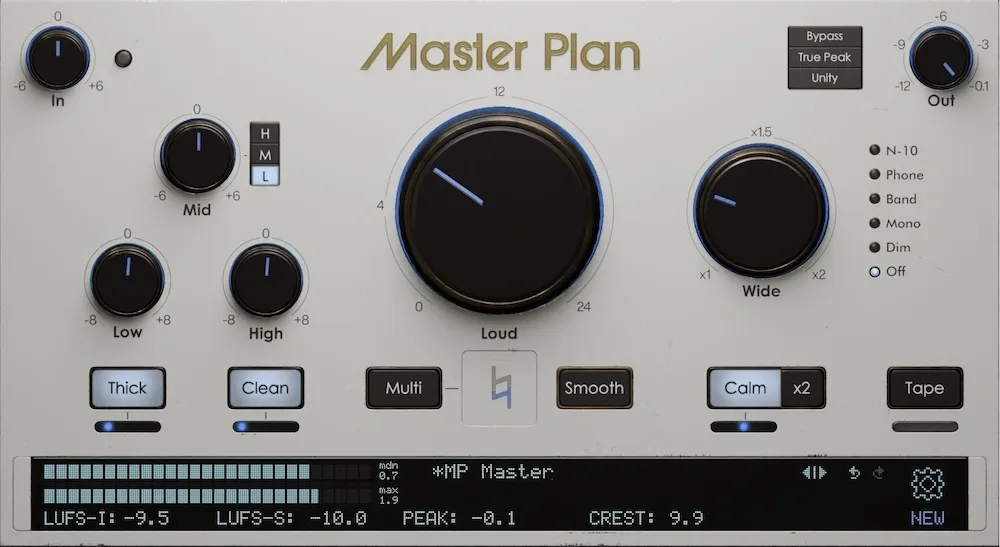
Image Source: www.musikhack.com
Master Plan by Musik Hack makes loudness maximization simple and straightforward. This plugin proves that mastering doesn’t need complexity to work well.
What Master Plan Does
The plugin’s heart is a transparent loudness processor with an easy-to-use interface. A Loud knob sits at its center, combining clipper and limiter technology that adds up to 4dB without audible distortion. The Wide knob delivers mono-compatible stereo widening, and dedicated low and high-end EQ controls shape the tone. The plugin has six processing stages that work together to handle loudness, tone, width, and dynamics. A clever Unity Gain feature keeps the volume consistent between bypassed and processed audio, which prevents the loudness bias that often tricks engineers.
Why Master Plan Stands Out
Simplicity makes Master Plan special, yet it delivers professional-grade results. Unlike complex AI tools, it makes subtle improvements that enhance your mix without changing its character. The controls work within fine-tuned ranges to protect your mix. You’ll find enough flexibility to create clean, loud masters or warm, vibey recordings. Engineers’ real-life tests show it performs better than bx_masterdesk and The God Particle.
Master Plan Pricing
Musik Hack gives you three ways to buy: A Rent-to-Own plan at $35 monthly for five months, a One-Year license for $75, or a “Forever” license at $175. The desktop version costs $87.50, half its regular price.
Best Use Case for Master Plan
Master Plan works great as a standalone mastering solution or as part of a processing chain. The plugin delivers maximum impact when placed last for clipping/limiting, in the middle for width/coloration, or early for EQ adjustments. Its flexibility makes it valuable for music of all types, from acoustic to electronic.
Comparison Table
|
Plugin Name |
Price (USD) |
Key Features |
Best Use Case |
Notable Characteristics |
|
FabFilter Pro-L 2 |
199 |
8 limiting algorithms, True peak limiting, 32x oversampling |
Professional mastering that needs both transparency and loudness |
Unity Gain feature, Audition Limiting capability |
|
iZotope Ozone 11 |
499 (Advanced) |
20 professional plugins, AI-powered Master Assistant, Reference matching |
Projects spanning multiple genres |
Clarity Module, Stem Focus, detailed reference capabilities |
|
Sonnox Oxford Inflator |
40.66 |
Static harmonic enhancement, Band-split mode, Direct mode |
Enhancement before limiting, vocal processing |
Maintains dynamics while raising perceived loudness |
|
UAD Manley Massive Passive |
149 |
4-band tube EQ, High/low-pass filters, Parallel band configuration |
Light tonal shaping, bold frequency adjustments |
Proportional-Q behavior, tube emulation stages |
|
Newfangled Audio Elevate |
199 |
26 critical frequency bands, Adaptive algorithms, Spectral clipper |
High sample rate mastering at final stage |
Processing based on psychoacoustics, machine learning optimization |
|
Oeksound Soothe2 |
199 |
Dynamic resonance suppression, Soft/Hard modes, Delta monitoring |
Resonance correction without changing overall sound |
Live frequency analysis, spectral processing |
|
Tone Projects Unisum |
119 |
Multi-band detector system, Variable knee control, Hygge circuit |
Tasks needing both transparency and character |
Phase-coherent processing, continuously variable channel linking |
|
Weiss Maximizer |
55 |
5 distinct processing styles, Parallel Mix control |
Final processing stage in mastering |
1:1 code-porting from hardware, clean limiting |
|
Dangerous Bax EQ |
2,999 |
Baxandall EQ curves, Phase-coherent filters, Stepped controls |
Smooth tonal enhancement in mastering |
Maintains phase integrity, precise repeatability |
|
Gullfoss Master |
199 |
Recover/Tame controls, 300x/second analysis |
Subtle enhancement of pro-mixed material |
Extended auditory model, decimal-point parameter adjustments |
|
Shadow Hills Mastering Compressor |
169 |
Dual-stage compression, Three switchable transformers |
Master bus processing with VCA compression |
Unique transformer options, TMT technology |
|
StandardCLIP |
25 |
Up to 256x oversampling, Three clipping algorithms |
Peak control before limiting, creative saturation |
Clear transparency, detailed filter options |
|
Master Plan |
175 (Forever) |
Six processing stages, Unity Gain feature |
Works alone or within mastering chain |
Clean interface, calibrated control ranges |