AI mastering plugins are changing how musicians finalize their tracks in 2025. I spent 30 days testing one of these tools to see if it could deliver professional-quality results. My findings might surprise you.
Professional engineers charge premium rates for their expertise. AI mixing and mastering tools have made the process simpler, which lets me focus on creating music instead of getting stuck with technical details. These tools work faster, cost less, and perform better than traditional plug-ins, and most run right in your web browser. But a key question remains: can the best AI mastering software match what an experienced mastering engineer delivers? After testing it with different genres and scenarios for a month, I have a clear answer.
Musicians and producers now choose online mastering services to get professional sound without booking expensive studio time. Many experienced engineers use AI to handle tasks like track analysis and original balancing quickly. In this piece, I’ll share my honest experience with this technology and show you where it shines and where human engineers still lead the way.
What Is AI Mastering and Why It Matters in 2025
The audio mastering world has changed a lot since 2023. Anyone with a computer can now master audio tracks. This was once limited to experts with expensive gear. AI mastering plugins that use advanced algorithms to analyze and improve audio tracks are leading this change.
How AI mastering works
AI mastering uses smart algorithms to analyze audio tracks. These algorithms make needed adjustments based on data from thousands of professionally mastered songs. The system first looks at your track’s frequency balance, dynamic range, and overall loudness. The AI then spots specific elements that need improvement, from bass depth to midrange warmth and treble clarity.
Most AI mastering systems work this way:
Audio analysis – The AI checks your track and finds frequency imbalances and dynamic range problems
Reference comparison – Your track gets matched against genre standards or reference tracks you pick
Automatic adjustments – The system adds equalization, compression, limiting, and stereo widening to make the sound better
These algorithms get better through machine learning with each track they handle. Many platforms now have genre-specific presets, so hip-hop tracks don’t sound like classical symphonies.
Why musicians are switching to AI tools
Musicians have good reasons to switch to AI mastering. The cost savings are huge. Traditional mastering costs $50-$200 per track. AI solutions offer subscription models or pay-per-track options that are budget-friendly. Independent artists with tight budgets find this really helpful.
Speed is another vital benefit. AI mastering gives you results within minutes while human engineers might take days or weeks. Artists can now:
Put out music faster
Try different versions
Meet tight deadlines easily
Spend more time creating than fixing technical issues
AI mastering has become user-friendly too. Most platforms have simple drag-and-drop interfaces. You don’t need deep audio engineering knowledge to get professional-quality sound.
Berklee audio engineering expert Wyner says AI tools expand possibilities: “I could do things using AI I never could do before, and I can get better results”. He finds that AI helps him make adjustments that weren’t possible with traditional mastering.
AI mastering vs traditional mastering
AI mastering and human engineering both have their strong points. AI is great at consistency, affordability, and speed. Human engineers still handle creative nuances and emotional context better.
Professional engineers understand music’s emotional effect. They make subtle changes based on artistic goals that algorithms can’t match yet. Human engineers also spot and fix complex issues that AI might miss, especially in poorly mixed tracks.
The quality gap keeps getting smaller. AI mastering now matches entry-level human engineers for well-mixed tracks. Many professional engineers use AI tools to start their work before adding their expert touch.
Your specific needs should guide your choice between AI and traditional mastering. AI mastering works great for:
Well-balanced mixes that need standardization
Projects with tight deadlines or budgets
Electronic, hip-hop, and pop genres
Traditional mastering still works better for complex projects, organic soundscapes, and tracks that need emotional nuance or problem-solving.
Many musicians now use both approaches. They start with AI tools and finish with human engineers. This combined method uses automation’s efficiency while keeping that essential human touch that gives music its soul.
The Plugin I Tested: Setup, Workflow, and First Impressions
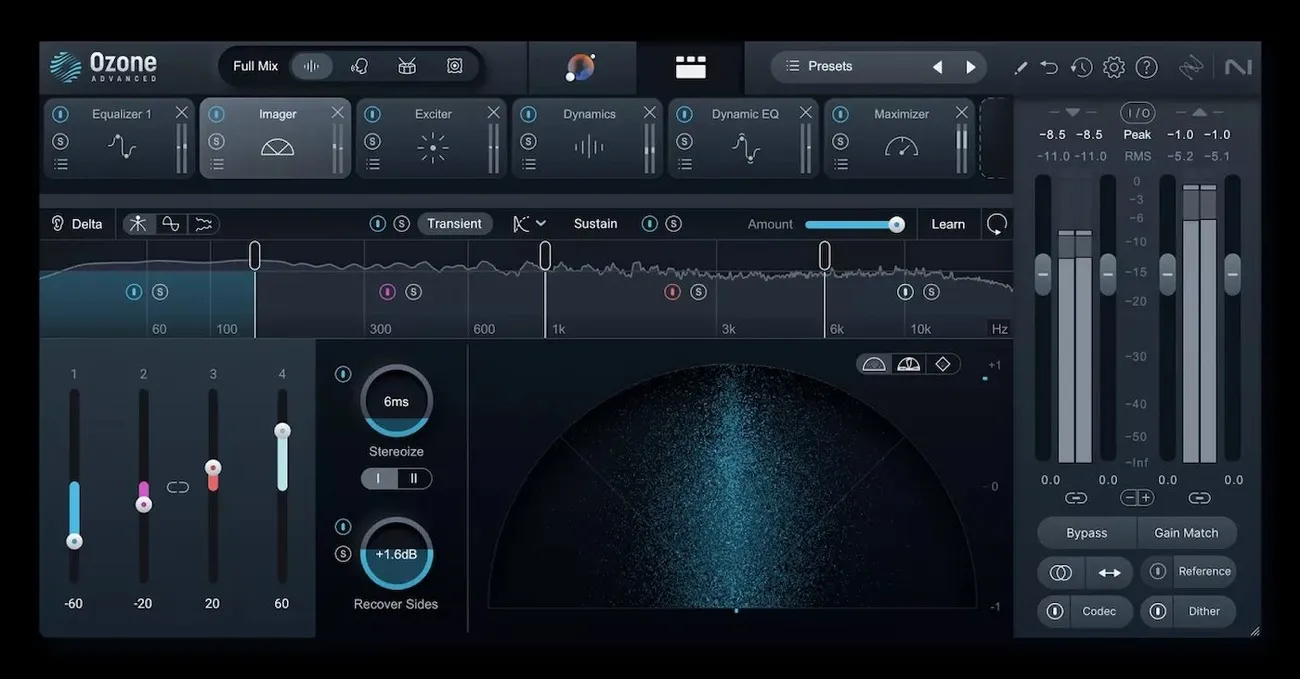
Image Source: The AI Musicpreneur
My month-long experiment started with selecting one of the revolutionary AI mastering plugins that works directly in my digital audio workstation. After looking at several options, I picked LANDR’s Mastering Plugin because of its reputation and no-nonsense approach to AI-powered audio improvement.
Installation and system requirements
LANDR Mastering Plugin installation proved simple. The software runs on both Mac and Windows operating systems with specific requirements. Mac users need macOS X 10.14 or higher, and it works with both Apple Silicon and Intel processors. Windows users must have Windows 10 (64-bit) or higher.
The plugin supports VST3, AU, and AAX formats. This means it works with almost all major DAWs like Logic Pro, Pro Tools, Ableton Live, FL Studio, and others. This compatibility helped me a lot since I often work on different workstations.
A big advantage of this plugin over other AI mastering tools is local processing – everything happens inside your DAW. This optimized approach eliminates the need to bounce tracks and wait for online processing. I noticed this benefit right away during setup.
User interface and ease of use
The plugin welcomed me with a clean, user-friendly interface that displays just the right amount of technical parameters. LANDR’s design shows their focus on simplicity without losing essential features.
The plugin analyzes your track with up-to-the-minute data analysis as you play it and applies AI mastering algorithms instantly. This immediate processing changes everything – you can hear your mastered sound while fine-tuning your mix. So I could adjust both mix and mastering settings at once, which made my production much faster.
The plugin comes with three distinct mastering styles—Warm, Balanced, and Open. This lets you pick the right sound character quickly without complex tweaking. You also get simple controls for loudness, presence, and stereo width if you want more control. These options gave me enough flexibility without being overwhelming.
Initial mastering results
The AI mastering results impressed me from the start. The plugin made my test tracks clearer and louder, bringing them closer to commercial release standards.
The AI did great work with EDM and hip-hop tracks by balancing frequencies and enhancing stereo width. At first, I noticed it boosted mid-range frequencies more than I would have done manually, which created a brighter sound than expected.
Early tests showed the plugin sometimes made tracks louder than needed for certain genres. One orchestral piece reached -9.9 LUFS, much louder than the usual -12 to -14 LUFS range for classical music. The solution was to lower the output volume by about 3dB after processing, which achieved a better -12.1 LUFS level.
The plugin created consistent sounds across multiple tracks effortlessly. Traditional mastering takes time and expertise to achieve consistency, but the AI delivered uniform results across different recordings with varying dynamics and frequency balances.
30-Day Testing Results: Real-World Use Cases
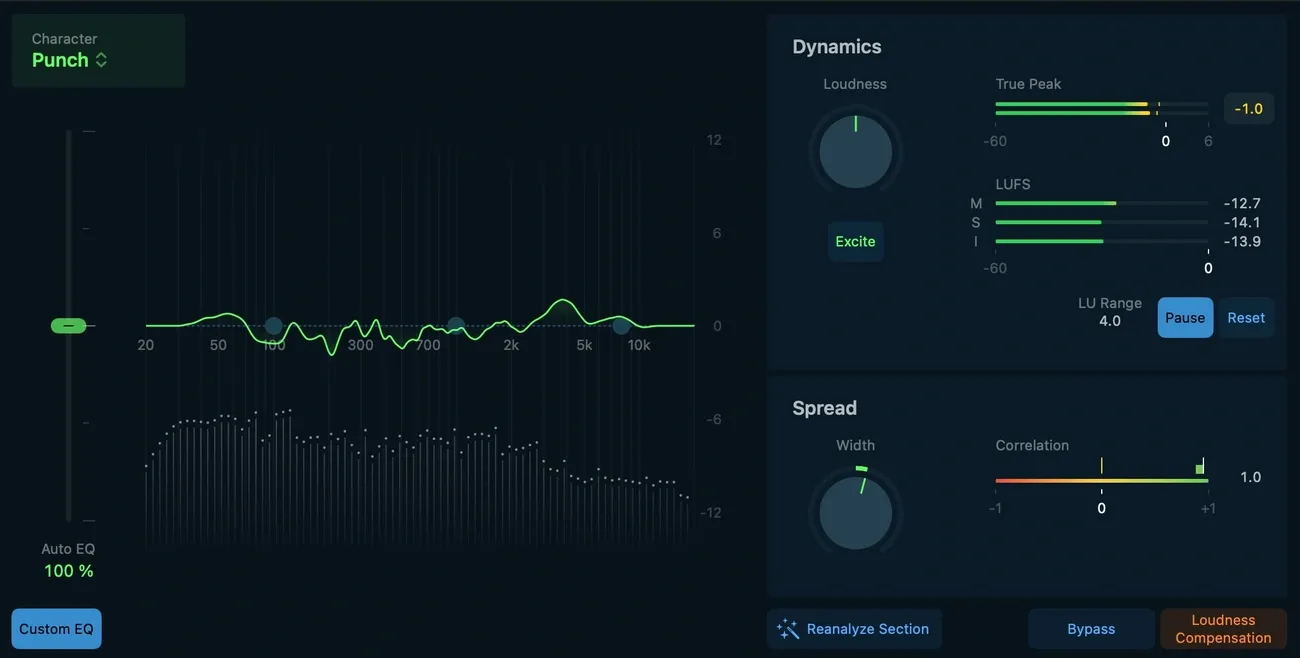
Image Source: Ars Technica
My 30-day test of this AI mastering plugin taught me a lot about what it can really do. I tested it extensively with different genres and projects, and found that there was both impressive capabilities and limitations you won’t see in the marketing materials.
Mastering different genres: EDM, rock, and hip-hop
The AI algorithm handled each genre differently, with results that varied quite a bit. EDM tracks gave the best results – this makes sense since most AI mastering tools learn mainly from electronic and pop music data.
The plugin really shined with EDM tracks by:
Creating appropriate stereo width and spatial depth
Boosting bass punch without muddiness
Achieving competitive loudness levels (-9.9 LUFS) ideal for the genre
Rock tracks posed bigger challenges. The AI balanced dynamics and EQ well enough, but it added too much mid-range compared to what professional engineers usually do. Guitar-heavy tracks became tiring to listen to because of this. Professional rock masters showed the AI pushed high frequencies too aggressively.
The system proved versatile with hip-hop masters. It handled the genre’s deep bass well, though it lacked the subtle control a human engineer brings to the low end. The AI showed impressive skill at analyzing vocals in hip-hop tracks. It smartly adjusted EQ across more than 1000 frequency bands to boost clarity.
Using reference tracks for consistency
Reference track matching stood out as a feature that really improved my results. This advanced tool lets you analyze a pro-mastered song and apply similar sonic qualities to your track.
The feature proved invaluable for keeping projects consistent. To cite an instance, see how mastering a three-track EP worked – I used the first finished track as a reference for the others, which gave me masters that clearly belonged together.
Reference matching analyzes your chosen reference’s frequency balance, dynamics, and stereo imaging, then applies similar processing to your track. This process skips human ears and feeds detailed characteristics straight into the AI mastering algorithm.
Best results came when I picked reference tracks with:
Similar tone, genre and style as my input
Comparable instrument setup
Equivalent mix density and arrangement
One limitation caught my attention – very loud EDM references sometimes made the final output sound flat, so I needed manual tweaks afterward.
Before and after audio comparisons
Critical before/after testing of dozens of tracks revealed the most about this plugin. It made tracks more commercially ready, though results depended on the source material’s quality.
Well-mixed tracks showed subtle but meaningful improvements:
Better clarity and presence
Better stereo imaging
Standardized loudness levels (-14 LUFS for Spotify compatibility)
Poor mixes showed dramatic improvements. The AI spotted issues like resonant frequencies from imperfect recording spaces. It made tiny adjustments across thousands of frequency bands that manual methods can’t match.
A blind test with colleagues brought interesting results. Most preferred human masters for orchestral and acoustic pieces, saying they sounded “more pleasurable” and “less tiring”. But with electronic genres, many couldn’t tell AI masters from professional ones. This shows how these tools still depend heavily on context in 2025.
The best approach ended up using the AI as a starting point, then making subtle manual adjustments – something even professional engineers now do regularly.
Feature Breakdown: What This AI Mastering Plugin Offers
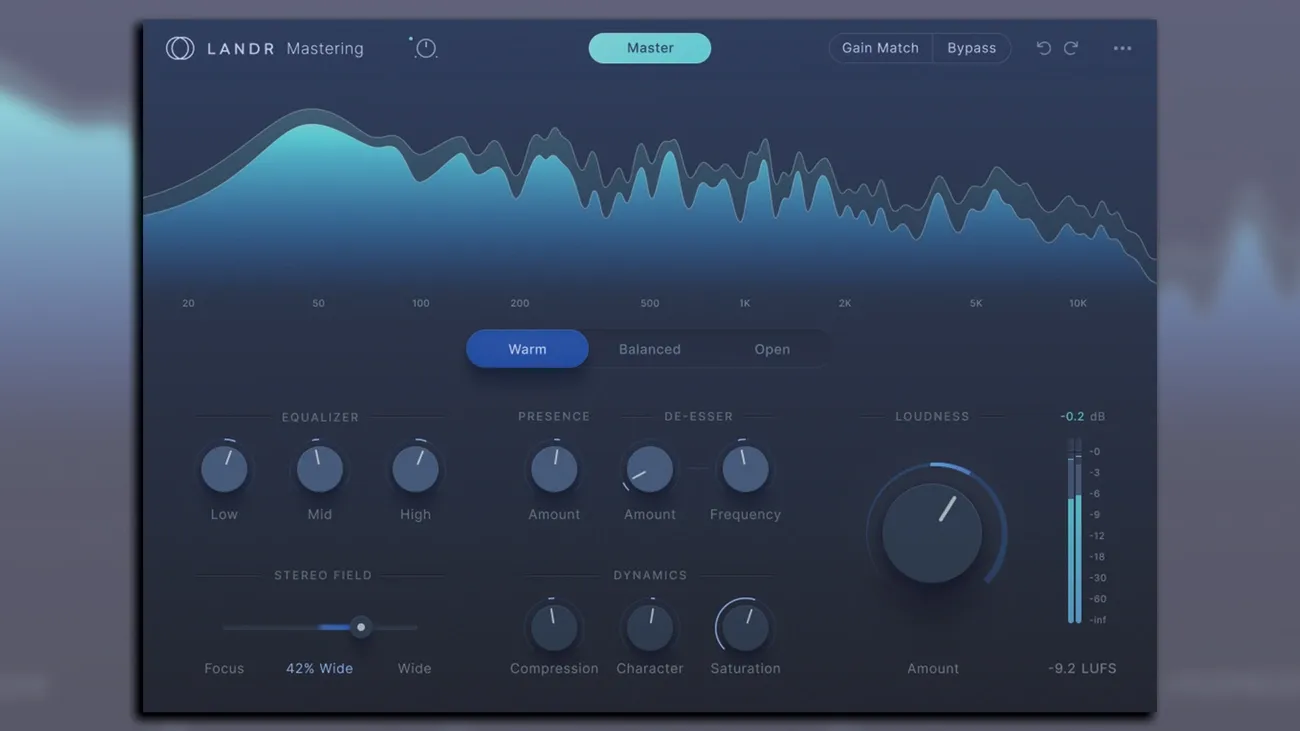
Image Source: MusicRadar
I spent a month with this AI mastering plugin to get into its technical capabilities beyond what you see on the surface. The technology behind its core features shows why producers and engineers have embraced these tools over the last several years.
Loudness and EQ control
This AI mastering plugin’s main strength comes from its smart EQ adjustment system. The software looks at your track’s full frequency spectrum and makes precise corrections where needed, instead of using fixed presets. Its adaptive EQ technology identifies and fixes more than 1000 frequency bands at once. You simply can’t do this manually.
The plugin gives you three intensity options for loudness: Low, Medium, and High. Low keeps more dynamic range with minimal compression. High pushes the perceived loudness up to about -9 to -10 LUFS integrated. Medium hits the sweet spot that works well for most modern genres.
The plugin’s ability to analyze an entire track really stood out to me. It doesn’t just sample a few seconds of the loudest parts. The full analysis takes a bit longer—around 100 seconds for a 36-track project on my M1 MacBook—but gives much better results, especially in songs with changing dynamics.
A great feature is the True Peak meter next to a LUFS (Loudness Units Full Scale) meter. You can monitor both momentary peaks and integrated loudness precisely. This helps a lot when you’re optimizing for platforms like Spotify, which normalizes to about -14 LUFS.
Stereo width and dynamics
The plugin shines in its stereo imaging capabilities. The AI looks at your mix’s stereo field and makes targeted adjustments to create the right width without phase issues. This mid/side processing splits your signal into center (mid) and stereo (side) parts to work on them separately.
You can fine-tune your track’s spatial characteristics with the stereo width control. The algorithm keeps mono compatibility intact—a vital feature for single-speaker playback. Different frequency bands get different treatment, with higher frequencies (above 8kHz) spread wider while low frequencies (below 200Hz) stay centered.
The AI uses multi-band compression for dynamics processing rather than compressing everything the same way. This targeted approach applies gentle compression (2:1 ratio) to mids and highs while using stronger compression (4:1 or 6:1) on sub-bass below 80Hz. Your tracks end up sounding tighter and more professional without that pumping effect you often get from heavy compression.
Reference track matching
The reference track matching system proved most valuable during my tests. This feature studies a professionally mastered song and applies similar sonic qualities to your track. The AI looks at the reference’s frequency balance, dynamics, and stereo imaging to make smart adjustments to your mix.
The best results with reference matching come from picking tracks that have:
Similar instrumentation and arrangement density
Comparable genre and production style
Equivalent dynamic range characteristics
The system works best when your mix is balanced to begin with. This lets the AI focus on final touches instead of fixing problems. The algorithm creates a detailed target profile based on the reference track’s spectral fingerprint and dynamic envelope.
Export formats and quality
The plugin handles standard WAV and MP3 formats, though some versions only export to WAV. You can adjust both bit depth and sample rate in the quality settings. Most masters use the industry-standard 24-bit, but 32-bit float gives you extra headroom if needed.
Sample rate options include 44.1kHz (CD standard) and 48kHz (film/video standard), plus higher rates for special uses. The output works great with streaming platforms, so your masters sound consistent across different playback systems.
The “streaming preview” feature is a smart addition that shows how your track will sound after platform normalization. It applies the -14 LUFS standard used by major streaming services, so you hear exactly how your music will sound in real-life listening situations.
Pricing Plans and Value for Money
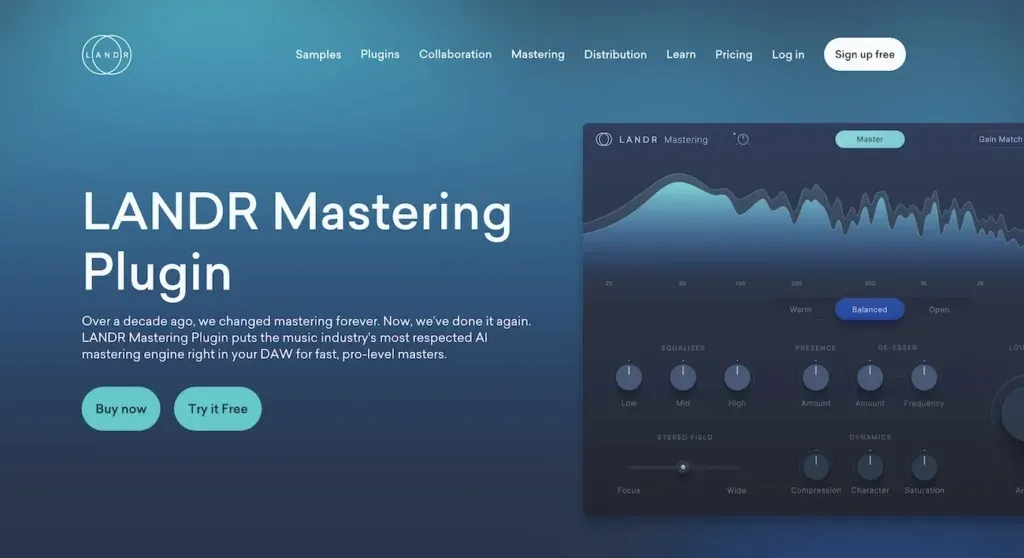
Image Source: The AI Musicpreneur
We ended up looking at cost to determine if an AI mastering plugin fits your production workflow. After dissecting multiple pricing options in 2025, here’s what you need to know about getting real value from these tools.
Free vs paid features
Most AI mastering platforms let you try their tools for free or offer limited options to show what they can do. BandLab stands out by giving you completely free mastering with different style options (Clarity, Loudness, Warmth) and high-quality 16-bit WAV exports. These free versions come with some major limits though.
The paid versions are a vital upgrade with professional features:
Higher resolution exports (24-bit WAV vs MP3)
Reference track matching capabilities
Unlimited masters (vs limited monthly quotas)
Advanced parameter control and adjustment options
Masterchannel lets you preview fully mastered tracks before buying, so you won’t waste money on results you don’t like.
Subscription vs pay-per-track
AI mastering services follow two main pricing approaches. You can pay per track at $5.00 to $11.00 for each master – great if you master tracks occasionally. Monthly subscriptions make more sense for frequent users, with prices ranging $19.90-$49.00.
LANDR shows this tiered approach well. Plans start at $4.00/month for basic MP3 masters and go up to $25.00/month for unlimited high-resolution files. Their Standard plan costs $19.99/month with unlimited MP3 masters plus plugin access. The Pro plan at $39.99/month adds unlimited WAV masters.
eMastered’s subscription model ($14.00-$49.00/month) targets high-volume users. You get unlimited masters plus extras like cloud storage and track statistics.
How it compares to other best AI mastering software
Several AI mastering tools stand out with unique offerings:
CloudBounce asks $9.90 per master or $19.99 monthly for unlimited masters. The price sits in the middle range, but you get more control over parameters than most other options.
eMastered keeps it simple with one plan and three payment choices. Their yearly subscription gives you the best deal at $168.00 upfront (about $14.00/month).
Traditional mastering costs $50.00-$200.00 per track, making even premium AI services much cheaper. Your production volume helps make the final choice. One-time purchases like iZotope Ozone ($299.00-$499.00) make sense for professionals who master tracks regularly.
AI Mastering vs Human Engineers: What Pros Won’t Tell You
My extensive testing revealed a clear divide between AI and human mastering. Here’s what professional engineers rarely talk about regarding this evolving technology.
Where AI falls short
AI mastering plugins have clear limitations despite their impressive advances. Their biggest problem is contextual understanding—algorithms can’t learn artistic intent or emotional nuance in your music. These tools don’t deal very well with unusual mixes, experimental genres, and complex arrangements that differ from their training data.
Human engineers quickly spot subtle issues like phase cancelation problems, vocal sibilance, or irregular dynamics. Even the best AI mastering software misses these problems. Standard processing works well with AI, but it lacks creative problem-solving abilities.
When to choose a human engineer
Human mastering becomes crucial for projects that need:
Emotional interpretation and artistic enhancement
Creative solutions for challenging mixes
Custom processing chains that match specific sonic goals
Final touches on professional releases or vinyl masters
Without doubt, traditional engineers remain irreplaceable for organic, acoustic, and classical recordings where subtle dynamic preservation matters most.
Combining AI with manual mastering
I found that there was a better way to use both methods together. Running tracks through an AI mixing plugin creates a solid foundation that handles simple EQ, compression, and loudness optimization. This gives us a strong starting point.
Adding targeted manual adjustments afterward gives us the best of both worlds—AI efficiency with human finesse. This hybrid workflow creates professional results while keeping your creative vision intact.
Conclusion
My rigorous 30-day test of this AI mastering plugin in genres of all types has convinced me – this technology belongs in modern music production. The results blew me away, especially when I worked with electronic and hip-hop tracks. The AI churned out commercial-ready masters in minutes. Professional engineers shouldn’t worry about their jobs disappearing just yet though.
The plugin handled technical elements like EQ balance, stereo imaging, and loudness optimization beautifully. On top of that, its reference track matching features are a great way to get consistency across multiple songs. Independent artists with tight budgets can now access professional-sounding tracks at a fraction of traditional mastering costs.
Notwithstanding that, some clear limitations emerged. The algorithm didn’t quite nail nuanced genres like orchestral and acoustic music. These tracks often sounded brittle and fatiguing compared to their human-mastered counterparts. Without doubt, AI lacks the emotional depth and context awareness that seasoned engineers bring to each project.
The sweet spot exists between both approaches. My tests showed that using AI mastering as a foundation and then making targeted manual tweaks produced the best outcomes. This hybrid approach combines AI’s speed with human touch, delivering professional sound quality without excessive costs.
AI mastering technology will keep getting better, but human engineers remain crucial when projects need emotional interpretation, complex problem-solving, and artistic enhancement. Your choice between AI and human mastering should align with your project needs, budget, and musical style.
This AI mastering plugin offers exceptional value to producers who need quick, consistent results – especially those working with electronic, pop, or hip-hop tracks. What a world of professional sound production we live in now. The days of mastering being an exclusive, expensive process for elite studios are gone. The democratization of professional sound moves forward rapidly, and these tools make that future both available and affordable.