Free mastering plugins have revolutionized the way independent musicians and producers work. Professional-sounding masters are now affordable and accessible to everyone. Musicians can achieve the loudness, clarity, and punch their tracks need quickly. Modern music production offers excellent tools that prepare tracks perfectly for Spotify and Apple Music release.
These free mastering solutions shine brightly with their easy access. The best mastering software runs directly in your browser without installation. Your computer doesn’t need much power to use them effectively. Independent creators benefit from generous monthly processing time allocations these tools provide. Our team tested many free mastering plugins VST and online solutions extensively. This complete guide helps you create polished, competitive sound without barriers.
What Is Mastering and Why It Matters in 2025
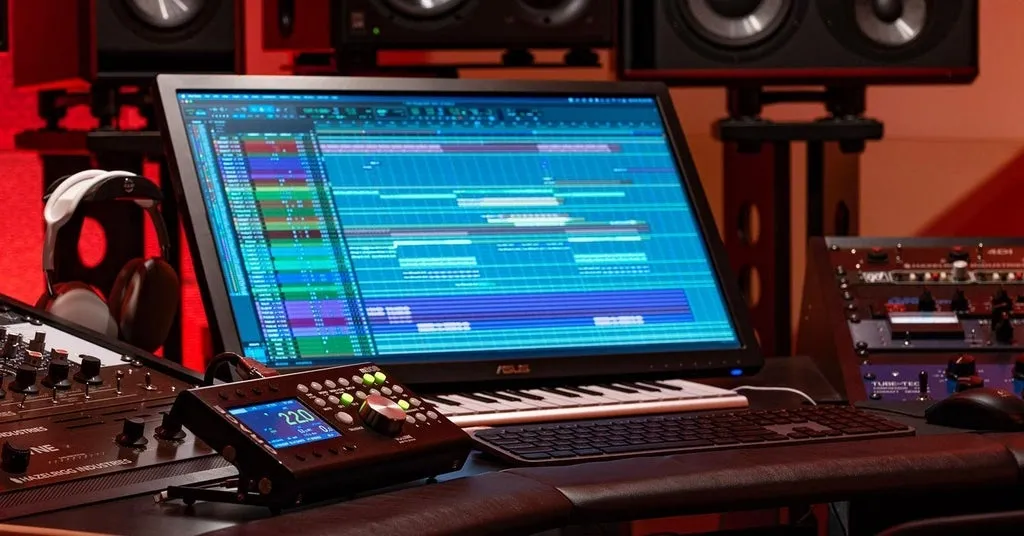
Image Source: Sweetwater
Music production’s final and vital step is the mastering process, which has changed substantially since its roots in the 1950s. The original mixing phase differs from mastering, which turns your mixed track into a polished, distribution-ready product. Your music will sound consistent on all playback systems – from high-end studio monitors to simple smartphone earbuds.
Mastering vs Mixing: Key Differences
Many producers mix up these two separate processes, though mastering and mixing serve different purposes in the production chain. Mixing balances individual tracks within a song (vocals, drums, bass, etc.), while mastering works with the completed stereo mixdown to create a cohesive final product.
Here’s how they fundamentally differ:
Scope of work: Mixing engineers adjust multiple individual tracks, whereas mastering engineers work with a single stereo file that combines everything.
Technical focus: Mastering engineers make subtle adjustments to EQ, compression, limiting, and stereo enhancement to optimize the overall sound.
Consistency goal: Mastering gives all songs similar levels and tonal balance for a cohesive listening experience in albums or EPs.
Final polish: The last quality control step comes from mastering, which fixes any remaining imperfections before release.
A mastering expert noted, “You could have a great mix without a great master, or vice versa, and still be unable to achieve a professional sound that can compete in today’s music world”.
Why Loudness and Clarity Are Vital for Streaming
Understanding loudness standards has become essential for anyone releasing music in 2025’s streaming-dominated world. Each major platform uses loudness normalization – a process that automatically adjusts your track’s volume to match predetermined standards.
Most streaming services now target specific loudness levels:
Spotify, YouTube, Tidal, and Amazon Music: -14 LUFS (integrated)
Apple Music: -16 LUFS (integrated)
Deezer: -15 LUFS (integrated)
This normalization system ended up stopping the “loudness wars” that dominated the early digital era. Engineers would aggressively compress tracks to make them sound louder than competing songs. This practice sacrificed dynamic range and degraded sound quality.
Streaming playback now turns down excessively loud masters. The focus has moved toward balancing loudness with dynamics. Professional mastering engineers target around -9 RMS (approximately -11 LUFS), knowing streaming services will reduce the level by 3-4 LUFS.
True peak limiting is another vital technical consideration. Setting your limiter’s output ceiling to -1.0 or even -2.0 dBFS gives headroom for “inter-sample peaks” – rogue transients that might cause distortion during streaming. Your music stays pristine across different playback systems this way.
Dynamic masters with preserved transients offer great advantages. Normalized by streaming services, dynamic tracks keep their impact and emotional punch. Over-compressed tracks sound flat and lifeless in comparison. One expert put it simply: “Dynamic music is more than just technically correct—it’s effective”.
Independent producers using free mastering plugins VST can create masters that work well across platforms by understanding these standards. Professional results come from the right free mastering software when used with knowledge of these principles. Today’s best mastering approach preserves dynamics while ensuring adequate loudness and clarity. This creates music that sounds consistent whether played on studio monitors, car speakers, or earbuds.
Auto Mastering Tools: Pros, Cons, and Use Cases
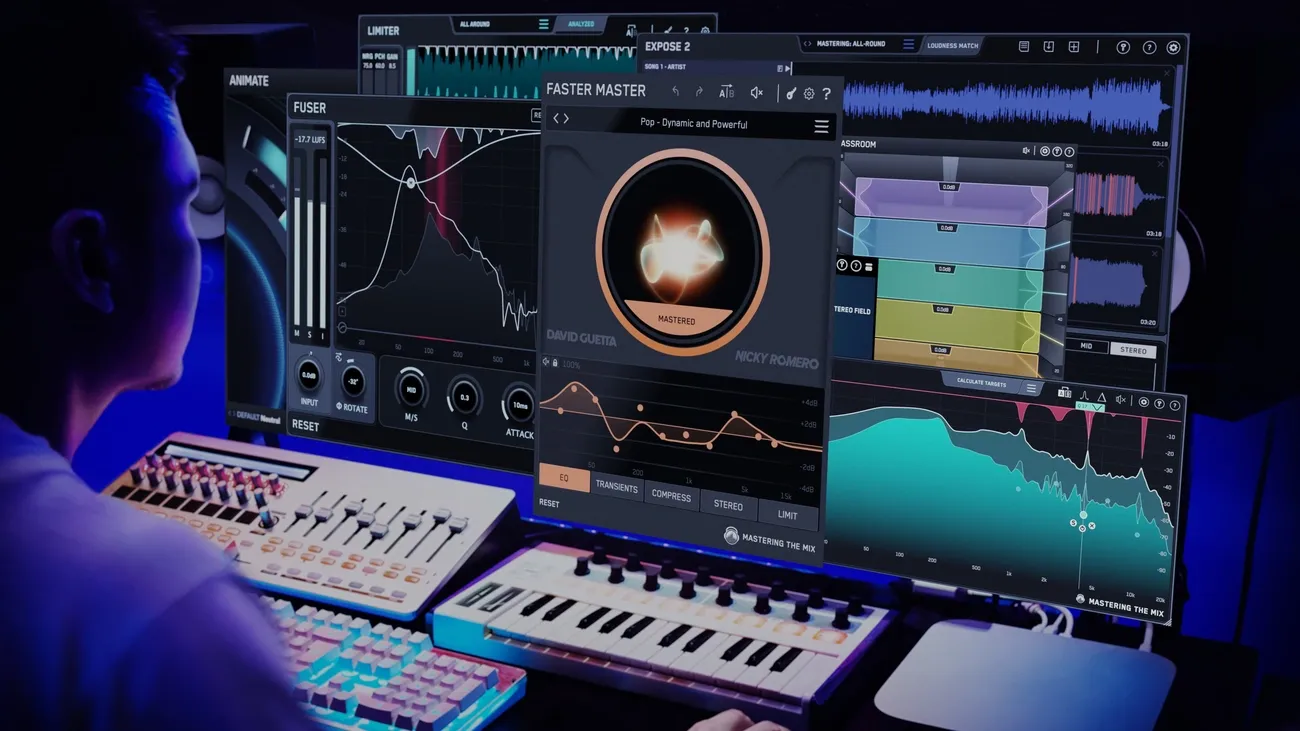
Image Source: www.masteringthemix.com
Automated mastering technology has become a game-changer for musicians who want to polish their tracks without deep technical expertise. These tools use specialized algorithms to process your mix and deliver professional results in minutes instead of days. Let’s get into some top options and see where they work best.
BandLab Mastering: One-Click Simplicity
BandLab stands out as the simplest free audio mastering tool available today. You don’t need to download or install anything – just upload your track through a browser or mobile app to get a professionally polished version right away. The accessible interface comes with four distinct mastering presets that work for different musical styles:
Universal: Provides natural dynamic and tonal balancing, ideal for rock, pop, and electronic music
Fire: Delivers punchy lows and improved midrange clarity, perfect for trap, hip-hop, and reggaeton
Clarity: Improves high frequencies with light dynamic expansion, suited for acoustic, classical, and R&B
Tape: Adds warm saturation and analog-style dynamics, complementing jazz, indie, and rock genres
BandLab’s appeal lies in its accessibility – it handles tracks up to 15 minutes long with unlimited uploads. Their internal standards show the mastering algorithms work approximately 10 times faster than other services. BandLab Members get access to more features, including advanced presets (Natural, Cinematic, Spatial, Punch) and a slider with 11 different intensity levels.
Auphonic: Loudness Standards and Dialog Cleanup
Content creators who work with voice-heavy material or need precise loudness compliance will find Auphonic’s specialized algorithms go beyond typical music mastering. This platform shines at normalizing audio to industry-standard loudness targets for various distribution channels:
Television standards (EBU R128, ATSC A/85)
Streaming platforms (YouTube, Spotify, Tidal at -14 LUFS)
Mobile audio (-16 LUFS for Apple Music, Google)
Specialized targets like Amazon Alexa and Netflix (-27 LUFS)
Auphonic also packs sophisticated noise reduction capabilities through multiple processing options. Their Dynamic Denoiser keeps speech and music intact while removing unwanted sounds like crowd noise, wind, and breathing artifacts. Podcasters and film producers will love the Speech Isolation feature that completely separates dialog from background sounds.
Auphonic’s dialog-focused analysis sets it apart. The service automatically sorts audio segments into “speech” or “non-speech” categories and allows for dialog-specific loudness normalization. This feature becomes a vital part of cinematic content where clear, consistent dialog needs to cut through varying sound effects and music.
When to Use Auto Mastering Over Manual
Your project requirements should guide the choice between automated and manual mastering. Auto mastering tools shine in specific situations:
Time-sensitive projects: Auto services deliver finished masters in minutes instead of hours or days of traditional engineering. This makes them ideal for social media content or quick client approvals.
Budget constraints: Free mastering software makes professional-sounding results accessible to independent artists. Premium auto mastering services cost less than hiring dedicated mastering engineers.
Learning experience: Beginners can use these tools as reference points to learn what professional mastering achieves before building their own processing chain.
Auto mastering does have its limits. Most algorithms use generalized processing and can’t interpret artistic intentions or emotional nuances in your music. Professional engineers point out that AI mastering lacks the critical ear to spot specific technical issues like problematic resonant frequencies or phase problems.
Auto mastering works best for:
Demos and reference mixes
Projects with tight deadlines or limited budgets
Social media releases and promotional content
Testing different mastering approaches before finalizing
Commercial releases that need subtle tonal decisions and artistic judgment still benefit most from traditional mastering. Many professionals now use a hybrid approach – they start with auto tools for initial processing and add final touches manually.
Free Mastering Plugins VST: Build Your Own Chain
Building your own mastering chain with free VST plugins gives you more flexibility than automated solutions. The process might look intimidating at first, but you can create a professional-grade mastering setup without spending money if you have the right tools. Here are some of the best free mastering plugins that match their paid counterparts in quality and features.
TDR Nova and Kotelnikov: EQ and Compression
Tokyo Dawn Records has two outstanding free mastering tools that many professionals use as the foundation of their mastering chains. TDR Nova works as a parallel dynamic equalizer that looks like a standard parametric EQ but packs powerful dynamics processing. Nova has four dynamic bands plus high-pass and low-pass filters. You can use it for parametric EQ, dynamic EQ, frequency-selective compression, and multi-band compression—all in one interface.
Nova stands out in mastering because of its equal loudness feature. You can make accurate tonal adjustments without volume differences throwing you off. A built-in spectrum analyzer helps you make better decisions, making Nova great for both new and experienced mastering engineers.
TDR Kotelnikov works alongside Nova as a clear-sounding wideband dynamics processor. Your mix keeps its original tone and punch even with heavy gain reduction. Kotelnikov’s design uses separate processing paths for peak and RMS content, with individual release controls for each. This setup lets you control both short transients and sustained sounds precisely to maintain impact while keeping everything consistent.
Kotelnikov shines in mastering with its adjustable sidechain high-pass filter and advanced stereo linking options made for stereo bus processing. The delta preview mode lets you hear the difference between compressed and original signals. Even the free version sounds crystal clear, making it perfect for subtle bus compression that won’t color your mix.
MeldaProduction Bundle: Full Suite for Custom Chains
MeldaProduction’s MFreeFXBundle might be the most detailed collection of free mastering tools you can find. This package has 38 effects covering many categories, from basic dynamics processors to specialized utility plugins. These plugins sound as good as many paid options.
The bundle’s best mastering tools include:
Advanced equalizers with mid-side processing capabilities
Multi-band compressors for targeted dynamic control
Analyzers for accurate metering and visualization
Stereo processing tools for precise imaging control
Limiters for achieving commercial loudness levels
MeldaProduction’s plugins share the same interface design. This makes learning new plugins easier when you’re building complex processing chains. You get everything needed for technical and creative mastering workflows, so you can build advanced signal paths without spending money.
The free version works great, but a paid upgrade (about $53) adds features like preset management, modulation options, upsampling for better sound, and GUI customization. You can start with professional tools and add more features as you improve.
Cockos ReaPlugs: Lightweight and Efficient
Cockos ReaPlugs brings REAPER DAW’s native effects to any compatible host. Windows users love these VST plugins because they use very little CPU and run reliably—key factors when building complex mastering chains.
ReaPlugs comes with essential mastering tools:
ReaEQ: An unlimited-band parametric equalizer with frequency and phase response displays
ReaXcomp: A flexible multi-band compressor with excellent per-band metering
ReaFIR: An FFT-based processor for linear-phase EQ, dynamic compression, and noise reduction
ReaJS: A customizable effects processor supporting user-created scripts
ReaPlugs processes audio at 64-bit resolution but uses minimal system resources. You can run complex chains on basic hardware without issues. The package has no copy protection, so installation and moving between systems is simple.
The plugins look basic but sound transparent, making them ideal for precise mastering where clean sound matters most. Windows users building custom mastering toolkits will find ReaPlugs a solid choice that combines professional sound quality with smooth performance.
DAWs That Support Free Mastering Plugins
You need the right Digital Audio Workstation (DAW) to host your perfect free mastering plugins. The right hosting environment will give a smooth performance for your plugins during mastering. There are some great free options that work well if you’re on a budget.
Tracktion Waveform Free: Full DAW with Plugin Hosting
Waveform Free stands out as one of the best free DAWs you can get. It has an unlimited track count and detailed plugin support for Windows, Mac, and Linux platforms. Many free options come with restrictions, but Waveform gives you core production tools in a clean interface. This lets you focus on your mastering work.
The plugin support is amazing. It works with VST, VST3, and AU formats, so you can use just about any free mastering plugin in your signal chain. Waveform has 15 built-in audio effects that work great as starting points for custom mastering setups.
Waveform shines in mastering because of its flexible routing options. You can create complex signal paths needed for professional mastering chains, like parallel processing or mid-side techniques. It also has a browser with tags and smart lists to organize your big plugin collection. This makes it quick to find your mastering tools.
The Actions Panel is another great feature that lets you create shortcuts for common mastering tasks. This speeds up repetitive work like applying similar processing across multiple album tracks.
Audacity: Open-Source and Plugin-Friendly
Audacity is the most popular free audio editor in the world. It works on Windows, macOS, and Linux. It started as a simple audio editor, but recent updates have boosted its mastering capabilities by a lot.
The software now supports realtime effects processing. You can preview and adjust VST, VST3, LV2, and LADSPA plugins before making final changes. There’s a Master Effects section where you can process your entire mix—exactly what you need for mastering.
Audacity offers some practical suggestions for basic mastering:
Adding reverb on the master to make projects sound less “dry”
Using a limiter to prevent clipping while keeping loudness
Tweaking overall loudness and tonal balance with built-in processors
Audacity isn’t perfect. It doesn’t have MIDI sequencing or advanced routing options. All the same, its built-in processors (EQ, compression, limiting, and normalization) plus third-party plugin support help create professional masters.
Choosing the Right Host for Your Workflow
Your choice between these options depends on what you want to do. Waveform Free works best when you need a complete production setup with unlimited tracks and advanced routing. The solid plugin support and quick browser make it great for complex mastering projects.
Audacity is your best bet when you want something simple and straightforward. It’s perfect for quick masters or projects that need simple processing chains. Beginners love how easy it is to apply effects.
Think over these points when deciding: plugin format support (Waveform has more options), computer resources (Audacity uses less), and your priorities (Waveform offers more customization, Audacity keeps things simple).
Both platforms ended up being great hosts for free mastering plugins. Your choice comes down to how you like to work and how complex your mastering needs are. Either one gives you an affordable way to create professional-quality masters.
Essential Utility Plugins for Mastering Accuracy
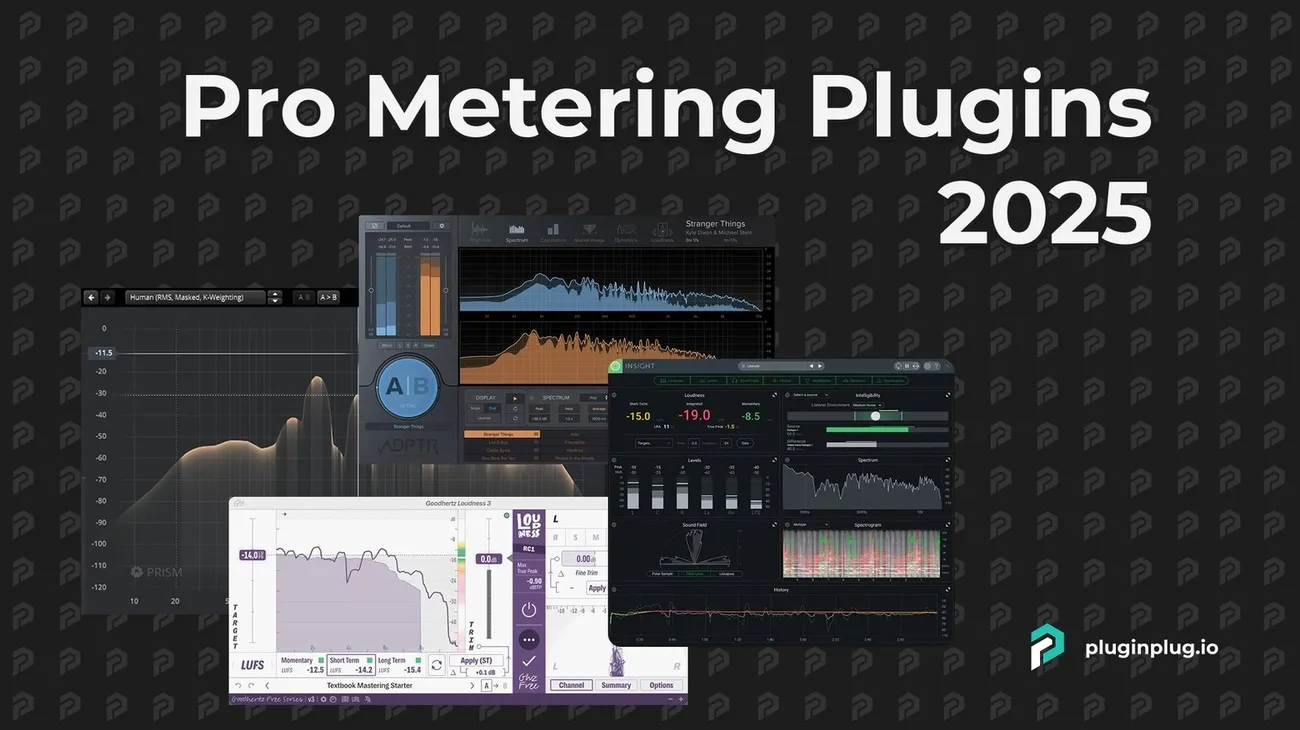
Image Source: pluginplug.io
You need precise measurement tools to make good decisions while mastering. Mastering utility plugins give you accurate visual feedback when your ears might miss small problems. These free analysis tools are the basis of professional mastering work, whatever genre or style you choose.
Youlean Loudness Meter 2: LUFS and True Peak
Youlean Loudness Meter is maybe the most important free mastering tool today. It helps you match streaming platform requirements with great accuracy. The plugin measures your track’s perceived loudness using industry-standard metrics. This makes it perfect for modern masters headed to Spotify or Apple Music.
Youlean shows several key measurements at once:
Momentary Loudness: Measured over 400ms, showing up-to-the-minute changes in volume
Short-term Loudness: Averaged over 3 seconds, useful for checking specific sections
Integrated Loudness: The overall LUFS value across your entire track
True Peak Level: Spots potential clipping after digital conversion
Youlean’s historical graphing feature sets it apart. The plugin creates LUFS value plots over time, so you can see dynamic changes throughout your song. This helps ensure even loudness across verses, choruses, and other parts.
The plugin helps you match platform-specific standards for streaming-ready masters. Most streaming services now want specific loudness levels. These are usually -14 LUFS for Spotify and YouTube, -16 LUFS for Apple Music, and special targets for platforms like Netflix (-27 LUFS).
True peak detection is just as important. It finds “inter-sample peaks” that normal meters miss. You can prevent distortion during format conversion from WAV to MP3 by setting your limiter’s ceiling to -1 dBTP or lower.
Voxengo SPAN: Spectrum Analysis
SPAN works like a spectral microscope. It shows frequency content that other tools can’t see. This free real-time FFT analyzer displays your music’s frequency spread with adjustable resolution. You can spot problem resonances or imbalances easily.
The plugin’s comprehensive mode system offers great flexibility. You can tweak Fourier block size, FFT window overlap percentage, and spectrum slope based on what you need to analyze. SPAN lets you view instant spectrum and shows secondary displays for peak or average response. This gives you different ways to look at your frequency content.
Most mastering engineers use SPAN’s “Stereo Mastering” preset. It usually shows a flat response that rolls off around 8kHz. This works as a reference point but shouldn’t force every mix to match it. The spectrum analyzer helps confirm your decisions rather than making them for you.
SPAN does more than frequency analysis. It includes output level metering with adjustable ballistics, EBU R128 compliance checking, K-system metering, and correlation measurement. The “Hold” switch freezes spectrum updates temporarily. This lets you compare different processing stages or reference tracks directly.
Blue Cat FreqAnalyst: Visual Feedback Tools
Blue Cat’s FreqAnalyst takes frequency analysis further with unique multi-track features that help during comparative mastering. The plugin can show spectral content from several audio tracks on one screen.
This multi-track capability reshapes mastering work, especially when matching your master to commercial references. The “Diff” view calculates and shows the exact spectral difference between curves. This reveals the EQ changes needed to match your mix with professional releases.
FreqAnalyst handles up to 16 different curves at once with full display customization. You can adjust response characteristics, resolution, and add offsets to separate overlapping curves for better viewing. The plugin’s zoom features and exact coordinates display let you measure frequency characteristics precisely across tracks.
The plugin excels at finding frequency conflicts that might hurt clarity in real-life mastering. You can see where different elements’ frequencies overlap and cause muddiness or masking in your final master.
Where to Find the Best Free Mastering Software
You can save hours of searching through questionable download sites by knowing reliable sources for free mastering software. The right places to look will help you find professional-quality tools without spending money.
Plugin Boutique: Curated Free Tools
Plugin Boutique is a trusted marketplace that helps you find high-quality free mastering plugins. The platform has a dedicated section for free plugin effects that works great for producers with tight budgets. Its value comes from careful selection of VST, AU, and AAX plugins from reputable developers who meet quality standards.
The organization system makes Plugin Boutique really useful. Free plugins are sorted by function, so you can easily find specific tools like equalizers, compressors, or metering solutions for your mastering chain. The site also features editorial roundups that showcase the best free options.
You’ll need to create a free account to download plugins. The system lets you “purchase” plugins at $0.00 and manage all licenses in one place. This approach gives you secure downloads straight from legitimate sources instead of risky third-party sites that might have malware.
KVR Audio: Community Reviews and Filters
KVR Audio gives you the most detailed resource to find free mastering software. This community-driven database has a huge catalog of audio plugins with excellent filtering options. You can search by format (VST, AU, AAX), operating system compatibility, and price to quickly find free options.
The active community is KVR Audio’s biggest strength. Each plugin listing has detailed user reviews and ratings about sound quality, stability, and CPU efficiency. These reviews are a great way to get insights before downloading. KVR Audio also keeps you updated about new free mastering tools through regular news updates.
How to Vet Free Plugins for Quality
Here’s what to think about when you review free mastering software:
Free vs. Trial: Some “free” plugins are just limited trials to promote paid versions. Make sure you’re getting a full tool instead of a feature-restricted sample.
Specific Utility: Check if the plugin helps with your mastering needs rather than collecting tools you won’t use. Even great free plugins take up space needlessly if they don’t fit your workflow.
Stability Assessment: Look for community feedback about reliability. Poorly coded free plugins might crash during important mastering sessions or damage project files. User reviews on platforms like KVR show real-life testing results.
Resource Efficiency: Check how much CPU and memory the plugin uses. Some free options need too many resources that could affect performance when you build complex mastering chains.
You can build a professional-grade mastering toolkit using only free components by making use of these platforms and checking quality carefully.
Auto Mastering vs Studio Engineers: A Real Comparison
The choice between automation and human expertise stands as one of the most important decisions in modern music production. Let’s get into what each approach delivers in practice.
Speed vs Control: What You Gain and Lose
AI tools and studio engineers differ first in their turnaround time. AI delivers finished masters within minutes—sometimes seconds—while traditional engineers need days. This quick turnaround comes with less control over the final product. Studio engineers are a great way to get collaborative discussions about artistic goals and expectations. They make specific adjustments that match your creative vision. Human engineers provide ongoing feedback and suggestions throughout the mastering process, unlike automated one-size-fits-all processing.
Sound Quality Differences in Real-Life Tests
Human-mastered tracks sound more pleasurable and less fatiguing to hear in direct tests. Professional engineers add subtle EQ adjustments and processing that make tracks shine on different playback systems. Blind tests show AI masters tend to push mid-range and high frequencies while cutting bass content. Human mastering keeps appropriate loudness levels—orchestral music stays around -12.9 LUFS compared to AI’s louder -9.9 LUFS. Beyond technical aspects, experienced engineers bring an artistic sensibility that grasps emotional context and genre expectations.
When to Choose One Over the Other
AI mastering works best for demos, reference mixes, and projects with tight deadlines or limited budgets. Human engineers prove valuable for commercial releases, publisher submissions, or streaming platform pitches. Professional mastering becomes crucial for mixes with issues that AI can’t spot or fix—such as buried vocals or resonant frequencies. Quality control and an objective point of view come naturally to mastering engineers in ways automated tools can’t match. Many producers get excellent results with a hybrid approach—they start with AI and finish with human refinement.
Best Free Mastering Workflow for Your Skill Level
Image Source: Remasterify
Your experience level should guide how you build your mastering workflow to achieve professional results. The tools and techniques you use will naturally evolve as your skills grow.
Beginner: Use Auto Tools with Loudness Meter
Audio mastering newcomers should keep things simple. BandLab Mastering or Auphonic will give you a great starting point. These services handle complex processing automatically so you can develop your critical listening skills. Using these auto tools alongside Youlean Loudness Meter 2 creates a perfect learning setup. You’ll see how commercial-level mastering affects loudness metrics while the auto service does the heavy lifting. Your masters need testing on different playback systems. Car audio systems often reveal low-end problems that studio environments hide.
Intermediate: Build a Plugin Chain in a Free DAW
Custom processing chains become the next step as you gain confidence. A free DAW with these core components will get you started:
Processing Foundation: TDR and Voxengo bundles give you high-quality EQ and compression tools
Extended Options: MeldaProduction bundle adds specialized processors
Measurement: Youlean Loudness Meter helps create streaming-ready masters
This combination provides everything you need to master at a professional level. Keep backup versions throughout your work—you can start fresh if needed. Reference tracks in your genre are a great way to get sonic targets.
Advanced: Combine Tools for Hybrid Mastering
Experienced producers often create hybrid workflows that mix different approaches. Plugin Boutique and KVR Audio offer unique processors to develop signature sounds that automated services can’t match. Most mastering veterans start with OTT for multiband compression (10% dry/wet), shape the tone with TONED EQ, and finish with precision limiting. This method balances technical precision and creative control. Car tests remain vital even for advanced sessions—they show stereo field issues that studio monitors miss.
Conclusion
Free mastering tools have opened up the final stage of music production to independent artists and producers. Modern technology that once belonged only in professional studios now exists as free VST plugins and browser-based solutions. These tools can produce amazing results that nobody would have thought possible a few years ago.
You’ll find several ways to approach mastering based on what you need. Services like BandLab and Auphonic give you quick, quality results when you’re short on time. It also helps to build your own chains with free plugins from Tokyo Dawn Records, MeldaProduction, or Cockos that let you control your sound when artistic vision matters most.
Your experience level will guide you to the right approach. Newcomers do better with simple auto tools and good metering, while seasoned producers can build complex custom chains that match professional studio gear. The technical side of LUFS standards and streaming platform requirements stays the same whatever path you take.
The best way might be to use both methods together. Many producers now get a quick reference from auto mastering, then fine-tune with manual tools to finish their work. This mixed approach gives you both speed and creative control.
I’ve tested dozens of free mastering options, and the quality gap between paid and free tools has shrunk by a lot. Professional mastering engineers still bring unique value to commercial releases where tiny decisions matter. Their trained ears spot issues that algorithms miss and create solutions that automation just can’t match.
Loudness and dynamic range standards keep changing as streaming platforms update their requirements. You need tools like Youlean Loudness Meter to keep your masters sounding great on all playback systems.
Free mastering tools have removed the cost barrier to professional-sounding production. These available solutions help independent creators compete with major label releases – whether they choose automated simplicity or custom processing chains. Best of all, you won’t spend a penny on software.